
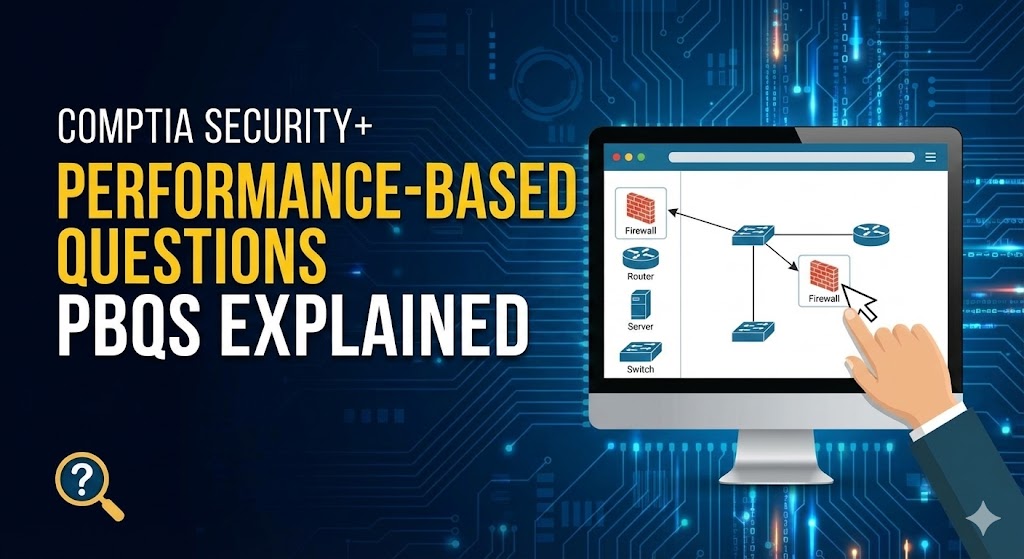
The PBQ Panic Attack: How to Crush CompTIA Security+ Performance-Based Questions (Without Losing Your Mind)
3:47 AM. Test Day. The Moment of Truth. You had been studying for three months memorizing port numbers. You recited the CIA triad in your sleep and passed every practice test with flying colors.
Then you actually clicked “Begin Exam” and saw it.
Performance-Based Question #1.
A network diagram filled your screen. Dropdown menus. Text boxes. Configuration windows. Instructions that seemed to be written in ancient hieroglyphics. The clock started ticking.
What the hell is this? This wasn’t in the study guide.
You stared at the screen for two full minutes, paralyzed. Then you started randomly clicking things, hoping something would work.
It didn’t.
Final score: 687. Failing score.
Three months of study. $392 exam fee. Destroyed by questions you didn’t know how to approach.
Don’t be this person.
Today, we’re going to demystify Security+ Performance-Based Questions so completely that when you see them on exam day, you’ll actually smile. Because while everyone else is panicking, you’ll know exactly what to do.
What Are PBQs and Why Do They Terrorize Test-Takers?
Performance-based questions (PBQs) assess your practical skills in cybersecurity through simulations that require you to solve problems in real-world settings.
[qsm quiz=2]
Here’s what makes PBQs different (and scary):
Multiple-choice question: “Which port does HTTPS use?”
A) 80 B) 443 C) 22 D) 3389
Performance-Based Question: “Here’s a firewall. Here’s a network diagram. Configure ACL rules to allow HTTPS traffic from the internal network to external servers while blocking all other outbound traffic. Also, ensure the web server in the DMZ can receive HTTPS requests but cannot initiate outbound connections.”
See the difference? One tests memory. The other tests whether you actually know what you’re doing.
PBQs are heavily weighted on the exam and can make or break your final score. You might only see 4-5 of them, but they could account for 20-30% of your total points.
The Three Types of PBQs (Know Your Enemy)
Type 1: Fill-in-the-Blank (The Easiest) Simple text entry. Usually involves entering commands, IP addresses, or specific terminology.
Example: “What command would you use to display network configuration in Windows?” Answer: ipconfig
Type 2: Drag-and-Drop/Matching (The Middle Ground) Matching concepts, ordering steps, or organizing elements. Tests whether you understand relationships and sequences.
Example: Match these attacks to their descriptions. Order the incident response steps correctly.
Type 3: Simulations (The Boss Fight) Full interactive scenarios where you configure firewalls, set up wireless security, analyze logs, or troubleshoot security issues. These are the ones that separate people who studied from people who PRACTICED.
Example: An entire firewall configuration interface where you need to create rules based on specific requirements.
The Brutal Truth: How Many PBQs and How Much Time?
The Security+ exam consists of a maximum of 90 questions with 90 minutes to complete them. You can expect between 4-6 PBQs, typically appearing at the beginning of the exam.
The math that should scare you:
- 90 minutes = 90 questions
- Average: 1 minute per question
- BUT: PBQs take 10-15 minutes EACH
- That means 5 PBQs = 50-75 minutes
- Leaving you only 15-40 minutes for 85 multiple-choice questions
The Scoring Mystery
CompTIA admits multiple approaches to solving PBQs, and the scoring scheme may reward partial credit. The takeaway? Do your absolute best on every PBQ, but don’t obsess if you’re not 100% confident. Partial credit might save you.
The PBQ Scenarios You’ll Actually Face
Let’s get specific. Based on countless test-taker reports and the official Security+ objectives, here are the most common PBQ scenarios:
Scenario #1: Firewall Configuration (THE Most Common)
Network configuration scenarios often include configuring firewalls with the right rule sets, setting up DMZs, and implementing proper network segmentation.
What you’ll see:
- A firewall interface (usually Windows Defender or a generic firewall)
- Requirements like: “Allow HTTPS inbound to web server, block all SSH except from admin subnet”
- Multiple rules to create with specific protocols, ports, IPs, and actions (allow/deny)
Skills tested:
- Understanding ports and protocols (port 22 = SSH, port 443 = HTTPS, port 3389 = RDP)
- Knowing inbound vs. outbound rules
- Understanding source vs. destination
- Rule order (more specific rules before general rules)
Common mistakes:
- Confusing source and destination
- Wrong port numbers
- Forgetting to specify both protocol (TCP/UDP) AND port
- Creating rules in the wrong order
How to practice: Set up a virtual firewall (pfSense, Windows Defender Advanced, or even your home router) and create rules based on requirements you write yourself.
Scenario #2: Wireless Security Configuration
What you’ll see:
- A wireless access point configuration screen
- Requirements like: “Configure secure wireless using WPA3, disable WPS, set appropriate encryption”
Skills tested:
- Knowing security protocols (WEP = bad, WPA2 = good, WPA3 = best)
- Understanding encryption types (AES vs. TKIP)
- Disabling insecure features (WPS, WEP, SSID broadcast sometimes)
- Setting strong passphrases
Common mistakes:
- Choosing WPA2 when WPA3 is available
- Enabling WPS (it’s a security risk)
- Setting weak passwords when prompted to use “strong” ones
- Forgetting to disable legacy protocols
Real example requirements: “Configure this WAP with the strongest available encryption, disable all insecure features, and ensure only authorized devices can connect.”
Translation:
- WPA3-Personal or WPA3-Enterprise
- AES encryption
- Disable WPS
- Enable MAC filtering (maybe)
- Strong passphrase (16+ characters with complexity)
Scenario #3: Log Analysis and Incident Response
What you’ll see:
- System logs showing suspicious activity
- Questions like: “Identify the type of attack, the compromised systems, and recommended remediation steps”
Skills tested:
- Reading log entries (timestamps, IP addresses, event IDs)
- Recognizing attack patterns (brute force = multiple failed logins, data exfiltration = large outbound transfers)
- Incident response steps (Preparation → Identification → Containment → Eradication → Recovery → Lessons Learned)
Common mistakes:
- Not reading the entire log carefully
- Misidentifying the attack type
- Getting incident response steps out of order
- Missing key indicators in the logs
Scenario #4: Certificate Management and PKI
What you’ll see:
- Certificate installation scenarios
- Questions about certificate purposes (encryption, authentication, signing)
- Troubleshooting certificate errors
Skills tested:
- Understanding certificate fields (Common Name, Subject Alternative Name, validity dates)
- Knowing certificate types (root CA, intermediate CA, end-entity)
- Certificate purposes (SSL/TLS, code signing, email encryption)
Common mistakes:
- Not checking certificate validity dates
- Missing that the Common Name doesn’t match the domain
- Not understanding certificate chains
Scenario #5: Access Control and Permissions
What you’ll see:
- User/group permission matrices
- Requirements to implement least privilege
- Role-based access control (RBAC) scenarios
Skills tested:
- Understanding permission inheritance
- Implementing least privilege principle
- Knowing when to use groups vs. individual permissions
- Understanding deny vs. allow permissions (deny always wins)
Scenario #6: Network Topology and Security Device Placement
What you’ll see:
- Network diagram with blank spots
- Drag security devices (firewall, IDS/IPS, WAF, proxy) to correct locations
Skills tested:
- Firewall placement (between networks, especially at perimeter)
- IDS/IPS placement (monitoring traffic, inline vs. passive)
- DMZ configuration (web servers in DMZ, not internal network)
- WAF placement (protecting web applications)
The golden rules:
- Firewalls at network boundaries
- IDS/IPS where you want to monitor/block traffic
- WAF in front of web servers
- DMZ for publicly accessible services
- Internal network for sensitive resources
The Strategy That Actually Works: Skip and Return
Here’s the secret that Marcus didn’t know: You should probably do PBQs LAST.
“But they’re at the beginning of the exam!”
Exactly. CompTIA puts them there to mess with you psychologically.
Here’s the better approach:
- See the first PBQ
- Mark it for review (button in the interface)
- Skip to multiple-choice questions
- Build confidence with easier questions
- Return to PBQs with 30-40 minutes remaining
- Tackle them with fresh eyes and less pressure
Why this works:
- Multiple-choice questions remind you of concepts useful for PBQs
- You build momentum and confidence
- You ensure you don’t run out of time on “easy” points
- You have a better sense of time remaining
Many candidates recommend allocating 10-15 minutes per PBQ and saving complex configurations for last if needed.
Exception: If a PBQ looks quick and easy, knock it out immediately. Don’t skip something you can finish in 2 minutes.
The Pre-Exam PBQ Practice Plan
Marcus’s mistake wasn’t lack of knowledge—it was lack of PRACTICAL experience. Here’s how to actually prepare:
Week 1-2: Build Your Home Lab
Minimum setup:
- One Windows VM (Windows 10 or 11)
- One Linux VM (Ubuntu is fine)
- Virtual network between them
- Firewall rules between them
Practice tasks:
- Configure Windows Defender Firewall rules
- Set up SSH between VMs
- Create user accounts with specific permissions
- Install and configure a web server
- Monitor traffic between VMs
Tools to use:
- VirtualBox or VMware (free)
- Windows built-in firewall
- Linux iptables or ufw
- Wireshark for packet capture
Week 3-4: Scenario Drills
Daily drills:
- Day 1: Configure firewall rules from written requirements
- Day 2: Set up wireless security (if you have access to a WAP)
- Day 3: Analyze security logs
- Day 4: Certificate installation and validation
- Day 5: Network diagram with device placement
- Weekend: Full practice PBQ set
Where to practice:
- CompTIA’s official PBQ samples (limited but free)
- Practice exam platforms (CertMaster, Dion Training, Professor Messer)
- Your home lab (most valuable)
Week 5-6: Timed Simulation
The final test:
- Set timer for 15 minutes
- Do a complete PBQ simulation
- Reset and try again if you fail
- Keep drilling until you consistently finish in under 12 minutes
Why under 12 minutes? Because exam day pressure will slow you down. If you can do it in 12 minutes at home, you’ll finish in 15 minutes under pressure.
The Day-Of Strategy: Read Instructions TWICE
Read all instructions and requirements before starting any configuration. One wrong click can fail the entire question.
First read: Understand what’s being asked overall. Second read: Identify specific requirements and constraints.
Look for these key words:
- “ONLY” (means exclude everything else)
- “EXCEPT” (means all but this)
- “MOST secure” (means don’t pick just “secure,” pick “most”)
- “MUST” (non-negotiable requirement)
- “SHOULD” (preferred but not required)
Example requirement: “Configure the firewall to allow HTTPS traffic from the internal network (192.168.1.0/24) to external web servers ONLY. All other outbound traffic from internal network must be blocked.”
What this ACTUALLY means:
- Allow: Source = 192.168.1.0/24, Destination = Any, Port = 443, Protocol = TCP
- Deny: Source = 192.168.1.0/24, Destination = Any, Port = Any, Protocol = Any
- Rule order matters: Allow rule MUST come before Deny rule
Common trap: Creating only the Allow rule and forgetting the explicit Deny rule.
The Reset Button: Your Get-Out-of-Jail Card
Made a mistake? Don’t panic.
Every PBQ simulation has a Reset button that returns everything to the initial state.
When to use it:
- You realize you completely misunderstood the requirements
- You’ve made multiple conflicting configurations
- You’re more than halfway through and know it’s wrong
When NOT to use it:
- You’ve made one small mistake (might be able to fix it)
- You’re almost done (finish and move on, partial credit exists)
- You have less than 5 minutes remaining (no time to start over)
The cost: Time. Resetting doesn’t give you time back.
Command Line Basics: The Commands You MUST Know
PBQs often include command prompt or terminal windows where you need to use basic troubleshooting commands.
Windows Commands
ipconfig
- Shows IP configuration
ipconfig /allshows detailed info including DNS servers, MAC addressipconfig /releaseandipconfig /renewfor DHCP troubleshooting
ping
- Tests connectivity to another device
ping 8.8.8.8tests internet connectivityping google.comtests DNS resolution AND connectivity
nslookup
- Tests DNS resolution
nslookup google.comshows what IP address the domain resolves to
netstat
- Shows active connections
netstat -anshows all connections and listening ports
tracert
- Shows path to destination
tracert google.comshows every hop between you and Google
Linux Commands
ifconfig or ip addr
- Shows network configuration
- Modern Linux uses
ip addrinstead ofifconfig
ping
- Same as Windows
ping -c 4 8.8.8.8sends exactly 4 packets (instead of infinite)
dig or nslookup
- DNS testing
dig google.comshows detailed DNS information
netstat or ss
- Shows connections
- Modern Linux uses
ssinstead ofnetstat
traceroute (not tracert)
- Same as Windows tracert
- Different name in Linux
The Scenario: Troubleshooting Connectivity
You’ll see: “Workstation cannot reach the internet. Use available tools to identify the problem.”
Your approach:
ipconfig(orip addr) – Check if there’s an IP address- If no IP or 169.254.x.x (APIPA) – DHCP problem
ping 192.168.1.1(or whatever the gateway is) – Can you reach the gateway?- If gateway doesn’t respond – local network problem
ping 8.8.8.8– Can you reach the internet?- If yes but websites don’t work – DNS problem
nslookup google.com– Is DNS resolving?
See? You’re systematically narrowing down the problem using basic commands.
The Mistakes That Cost Points (Learn From Others’ Pain)
Mistake #1: Not submitting your answer The PBQ has a “Submit” button. If you just click “Next” without submitting, your work is lost. Some candidates have been burned by clicking Next after completing the performance-based question and never saving their answer.
Mistake #2: Overthinking simple questions If it looks easy, it probably is. Don’t add complexity that isn’t required.
Mistake #3: Ignoring the network diagram That diagram isn’t decoration—it contains critical information about IP addresses, network segments, and device placement.
Mistake #4: Forgetting rule order in firewalls Firewalls process rules top-to-bottom. More specific rules MUST come before general rules, or they’ll never be reached.
Mistake #5: Not double-checking your work You have a reset button. You can review. Use the last 30 seconds to verify you did what was asked.
Your PBQ Checklist for Exam Day
Before the exam:
- [ ] Practiced at least 20 different PBQ scenarios
- [ ] Can configure a firewall from requirements in under 10 minutes
- [ ] Know all basic Windows and Linux commands
- [ ] Understand incident response steps in order
- [ ] Know port numbers for common services (80, 443, 22, 3389, 25, etc.)
During the exam:
- [ ] Mark PBQs for review (unless they’re quick)
- [ ] Read instructions TWICE
- [ ] Check for the “Submit” button before moving on
- [ ] Use the reset button if completely lost
- [ ] Leave 30-40 minutes to complete all PBQs
- [ ] Double-check your work before submitting
After completing each PBQ:
- [ ] Did I address every requirement?
- [ ] Did I click Submit?
- [ ] Am I confident this is at least 70% correct?
- [ ] If not, is it worth resetting?
The Confidence Factor: Why Practice Beats Panic
Six months after his failure, Marcus retook Security+. This time, he spent four weeks doing nothing but PBQ practice in his home lab.
Exam day came. The PBQs appeared. And Marcus smiled.
Firewall configuration? He’d done this 30 times in practice. Wireless security? He could configure it in his sleep. Log analysis? He’d analyzed hundreds of logs in his home lab.
He finished all 5 PBQs in 42 minutes, spending the remaining 48 minutes on multiple-choice questions without rushing.
Final score: 812.
Same person. Same knowledge base. Different approach.
The difference? Marcus stopped trying to memorize and started practicing DOING.
Ready to Crush Those PBQs?
Here’s the reality: PBQs separate people who studied from people who practiced. You can know every definition in the Security+ objectives and still fail if you can’t apply that knowledge hands-on.
Our CompTIA Security+ training program doesn’t just teach you theory—we make you practice until PBQs become second nature.
What You Get:
✓ Interactive PBQ simulations that mirror the actual exam format
✓ Hands-on lab environment where you configure real security tools
✓ Step-by-step walkthroughs of every common PBQ scenario
✓ Timed practice sessions that teach you to work under pressure
✓ Command reference sheets for quick review
✓ Video demonstrations showing exactly how to approach each PBQ type
✓ Practice exams with PBQs that are harder than the real test
✓ Expert instructor support when you get stuck on scenarios
Our PBQ Mastery Guarantee:
Complete our PBQ practice modules, and you’ll walk into the exam with genuine confidence. Not hope. Not luck. Actual, earned confidence from doing these scenarios dozens of times.
The Investment:
Security+ certification changes careers. It’s the difference between $45K help desk jobs and $75K+ security analyst positions. The exam costs $392. Our complete training program with unlimited PBQ practice costs less than retaking the exam once.
Do the math: One failed exam = $392 wasted + 3 more months of studying + delayed career advancement.
Our training = Pass first time + Confidence + Skills employers actually want.
Don’t Be Marcus Version 1. Be Marcus Version 2.
[Enroll in our CompTIA Security+ training program today] and get lifetime access to:
- 100+ PBQ practice scenarios
- Complete lab environment
- Video walkthroughs
- Practice exams
- Expert support
- Job-ready skills
Plus: Save 30% on your Security+ exam voucher when you enroll.
Your Security+ exam is scheduled. Your study materials are ready. But are you REALLY ready for those PBQs?
There’s only one way to know for sure: practice until performance-based questions become performance-based confidence.