
Burp Suite Repeater is one of the most useful tools for manually testing and verifying vulnerabilities during a web application penetration test. It lets you take an HTTP request, modify it, resend it repeatedly, and analyze how the server responds.
In this Burp Suite Repeater tutorial, you’ll follow a complete hands-on workflow from capturing a request with Proxy to modifying parameters, headers and cookies, testing authorization, and comparing responses.
- What Repeater is
- Sending a request from Proxy to Repeater
- Understanding the request and response
- Modifying parameters
- Changing headers and cookies
- Testing authentication and authorization
- Testing input
- Comparing responses
- Common mistakes
- A practical pentesting workflow
Burp Suite contains several tools for web application testing, but this tutorial focuses on Proxy and Repeater. Proxy captures the HTTP request, while Repeater lets you modify and resend that request repeatedly without navigating through the application each time.
For an overview of the other tools available in Burp, see our Burp Suite Cheat Sheet which will give you a higher level overview of Burp Suite.
What Is Burp Suite Repeater?
Repeater allows you to manually send the same HTTP request to a web server multiple times while changing different parts of the request.
A typical workflow looks like this:
- Capture a request using Proxy.
- Send the request to Repeater.
- Examine the request and response.
- Modify one part of the request.
- Send it again.
- Observe how the response changes.
- Repeat the process with different values.
This is particularly useful when you want to answer questions such as:
- What happens if I change this parameter?
- Does the server validate this input?
- Does changing this header affect authorization?
- Does changing a cookie change the user’s access?
- Does the application behave differently when I provide unexpected input?
How to Capture a Request with Burp Proxy
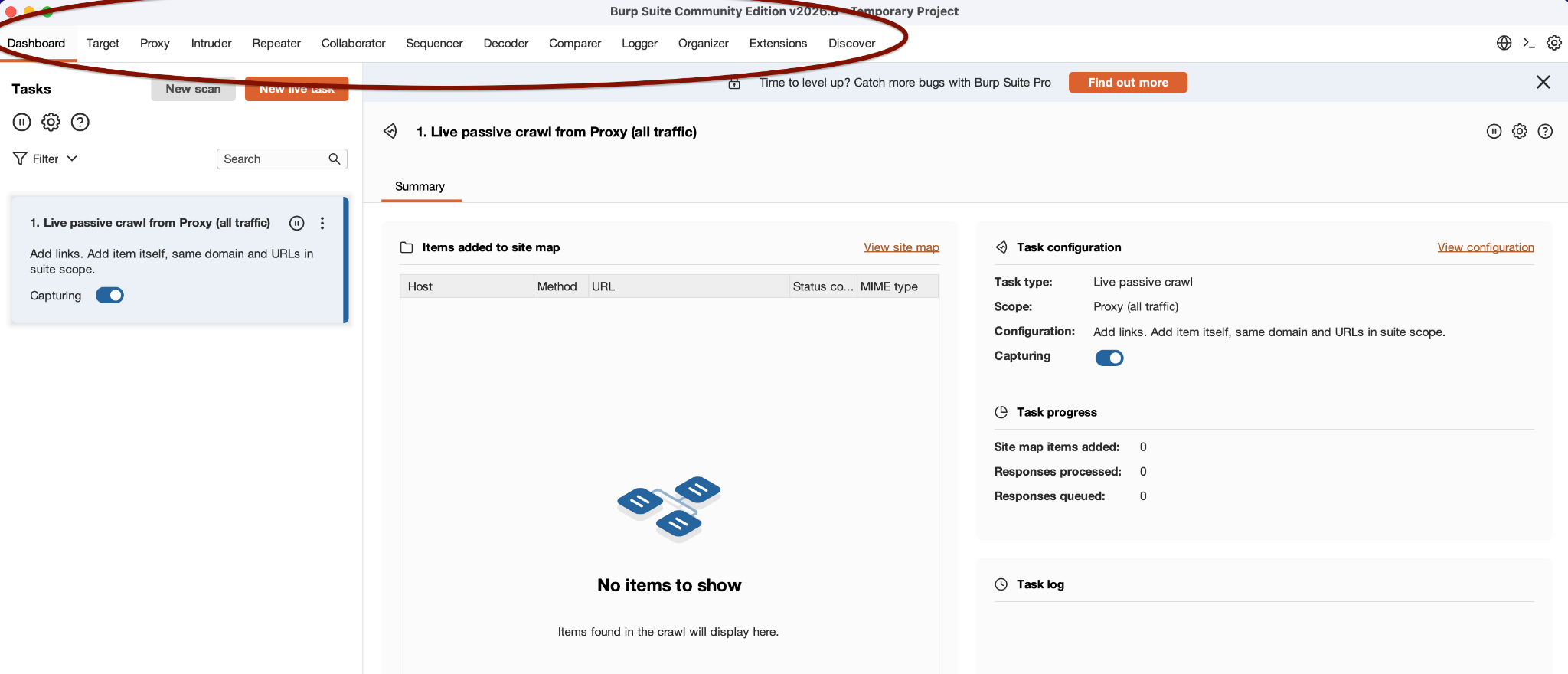
For simplicity, we will use the browser from within Burp. It will save time for setting up an external browser. Open the Burp and go to the Proxy tab. Then click Open Browser.
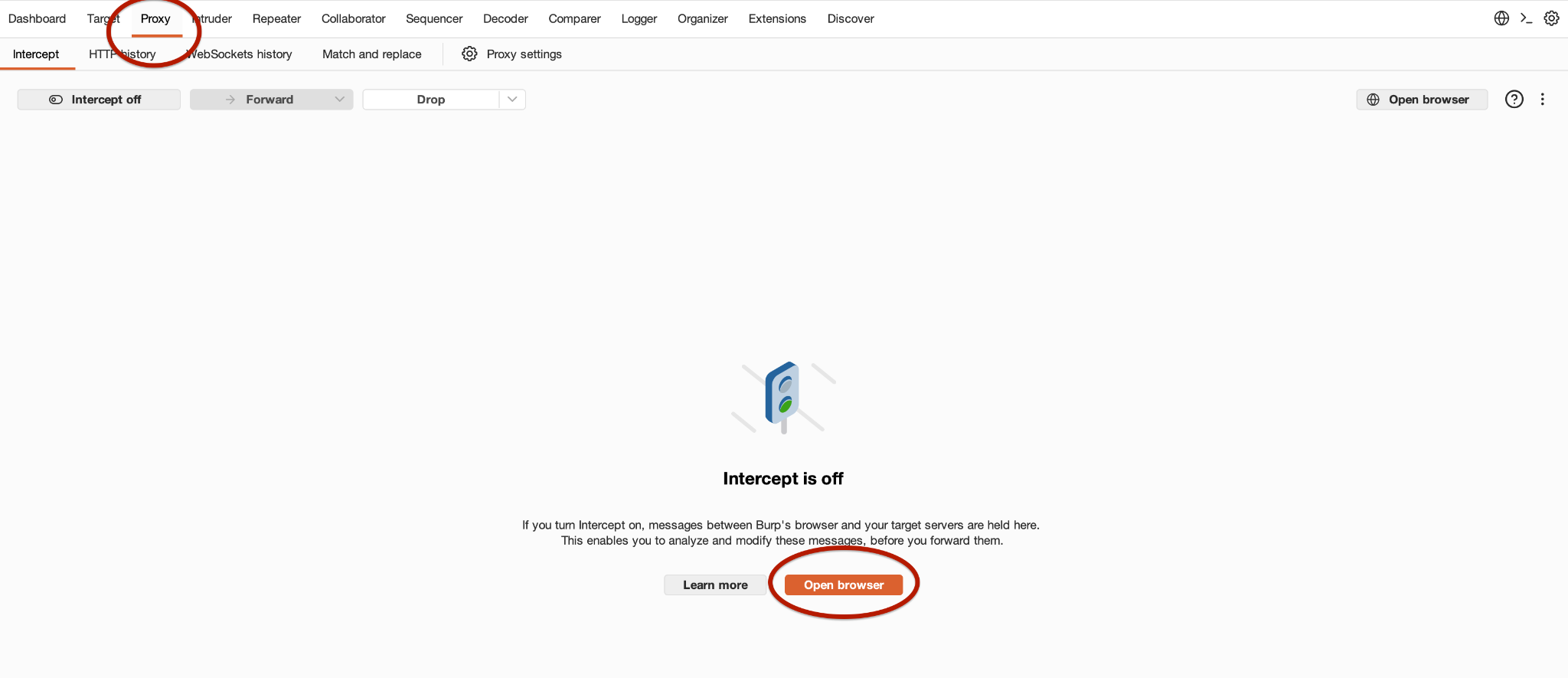
It will open a browser window for you.
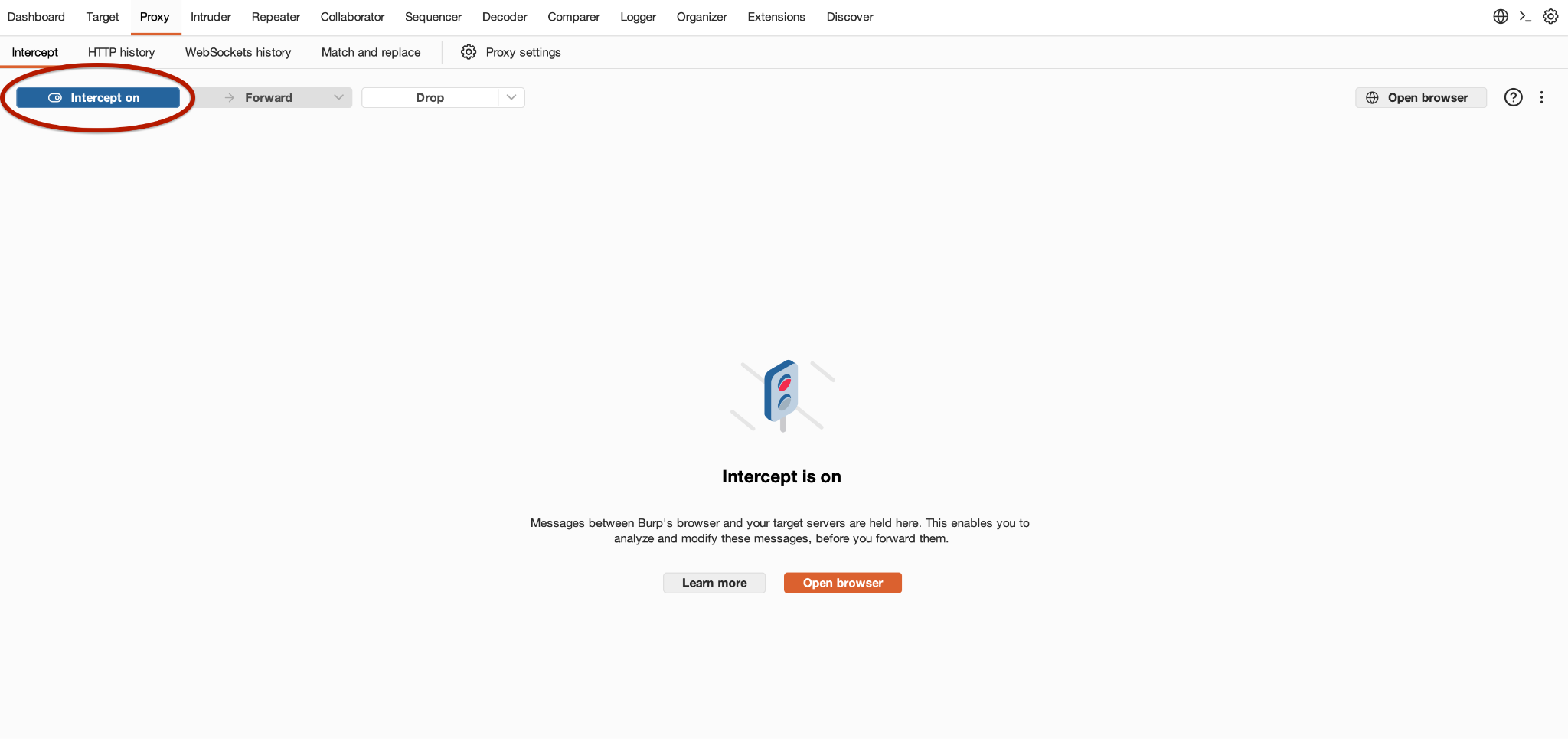
At this point, you won’t be intercepting the traffic from the browser. So to intercept the traffic, you will need to enable the intercept button that says Intercept Off.
Now, if I just do a simple GET request for google.com, I will see that traffic will get intercepted
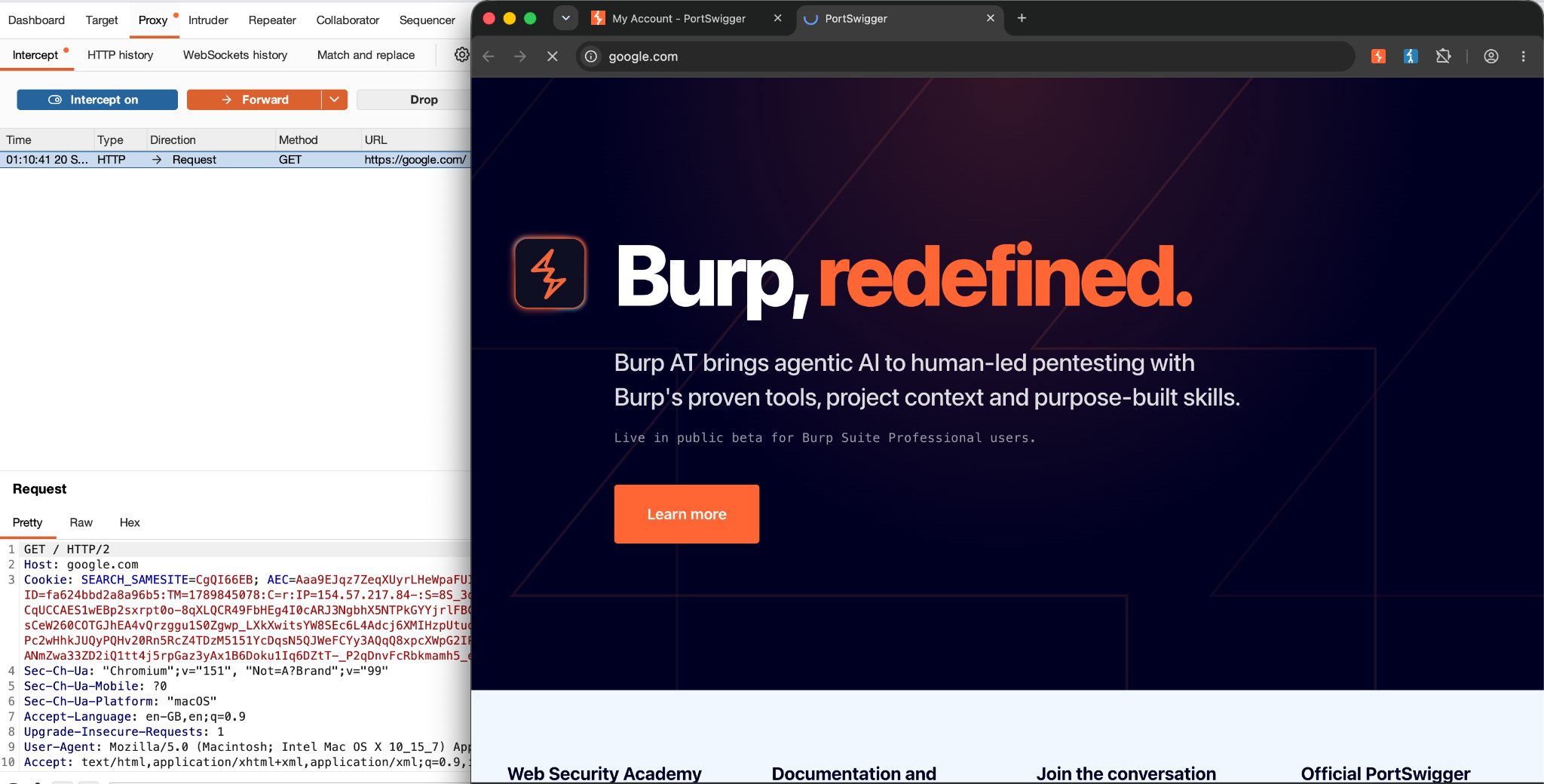
Now it’s up to me to forward or drop the request.
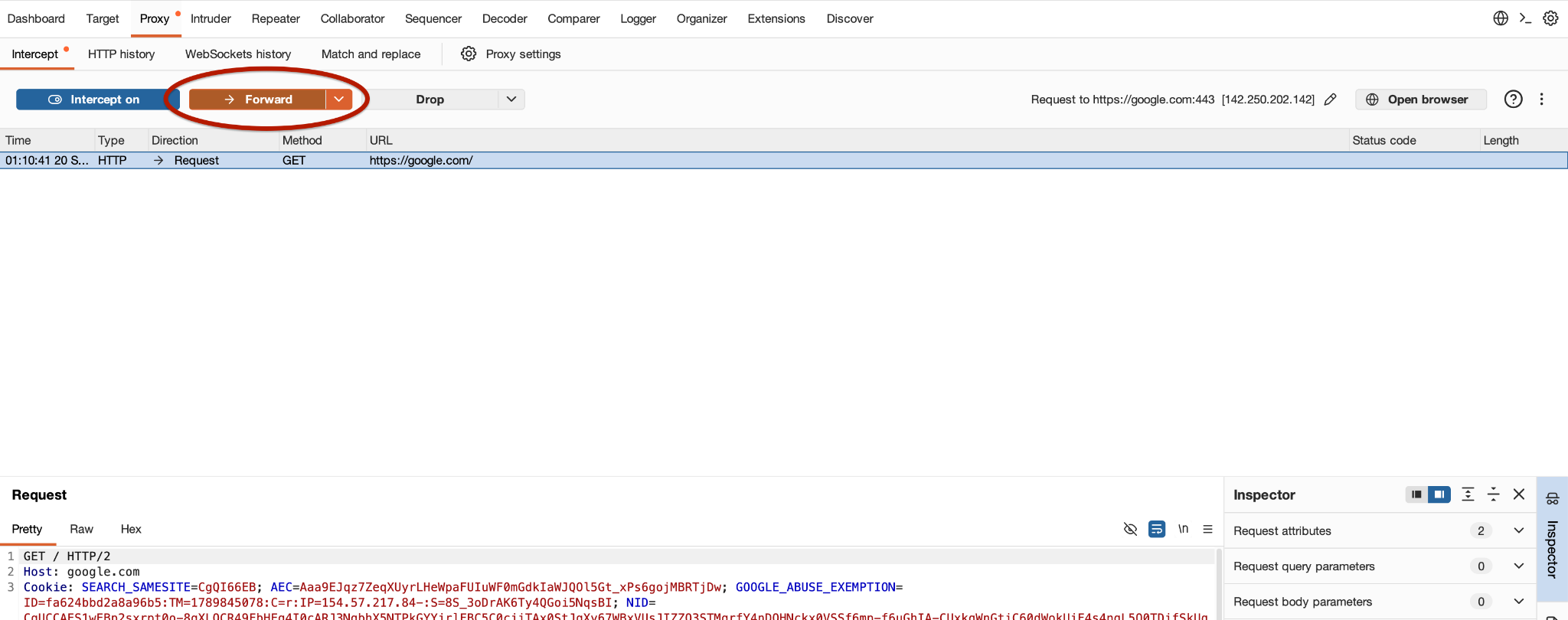
Enable Intercept And Capture The HTTP Request
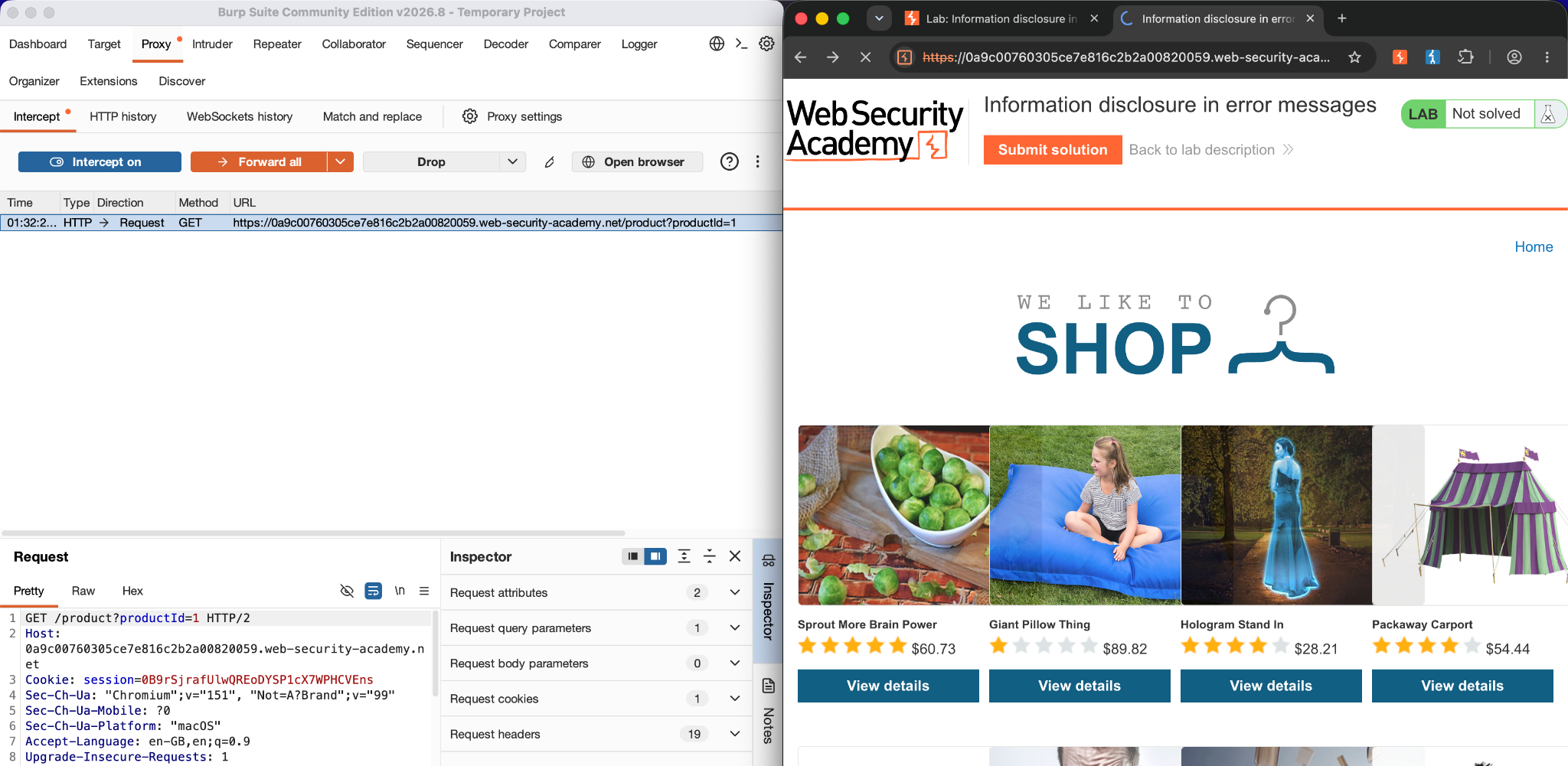
We are going to use a portswigger’s lab for a demonstration for this. The lab we are working in is from the “Information Disclosure” category. Its a shopping website that offers some products

If we just check the product without interception, the URL looks interesting i.e. ….web-security-academy.net/product?productId=1
From here, we as a penetration tester, start checking if the given parameter is properly handled by the developer. And we intercept the traffic.
productId=1 is the parameter that is being sent to the server. Lets say you just want to test the request at this level to check if you are able to change the parameter. Change the productId=1 from 1 to 2 and forward the request.
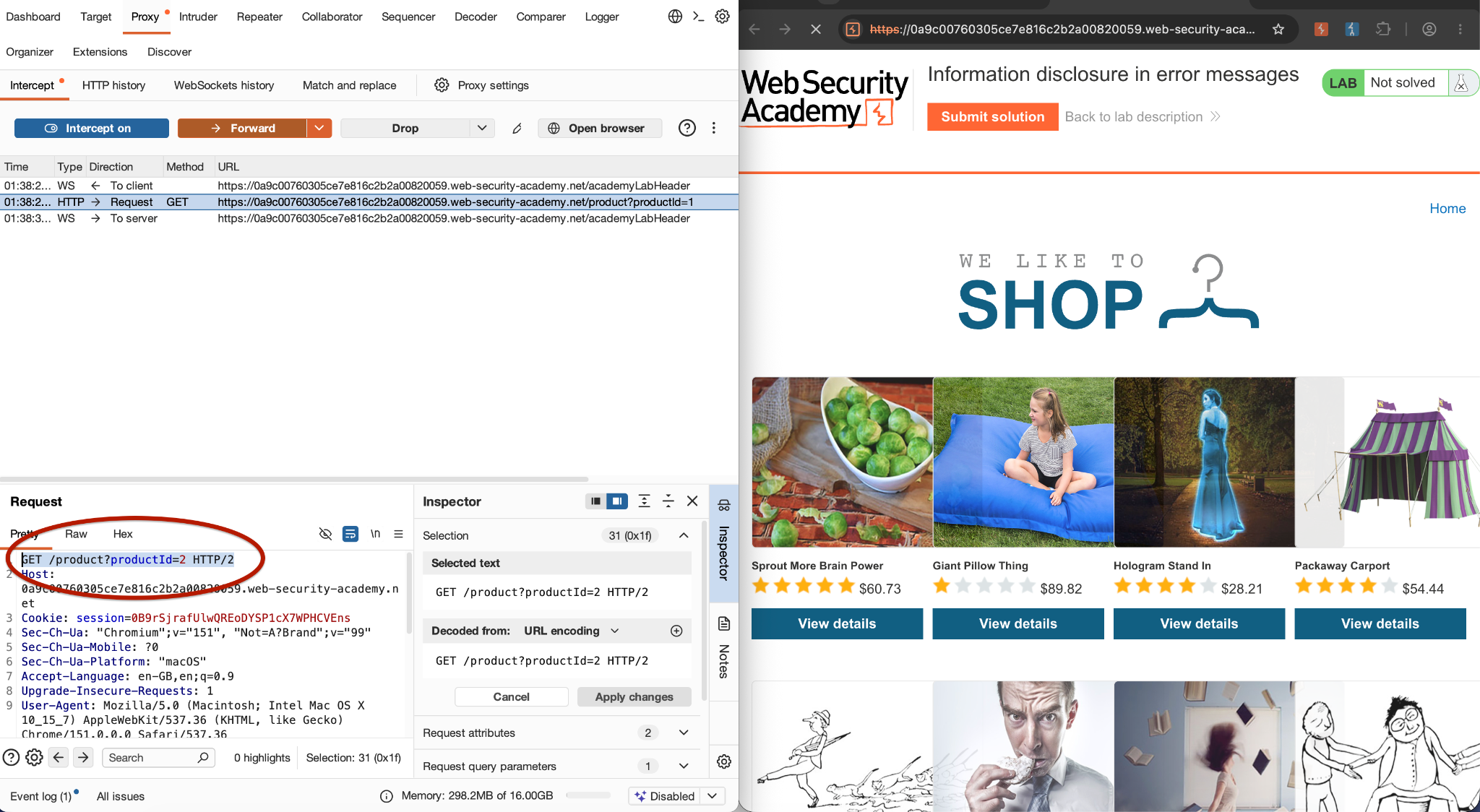
We in the browser selected the 1st product but the response page now shows the 2nd product. That is because we intercepted and modified the request.
How to Send a Request to Burp Suite Repeater
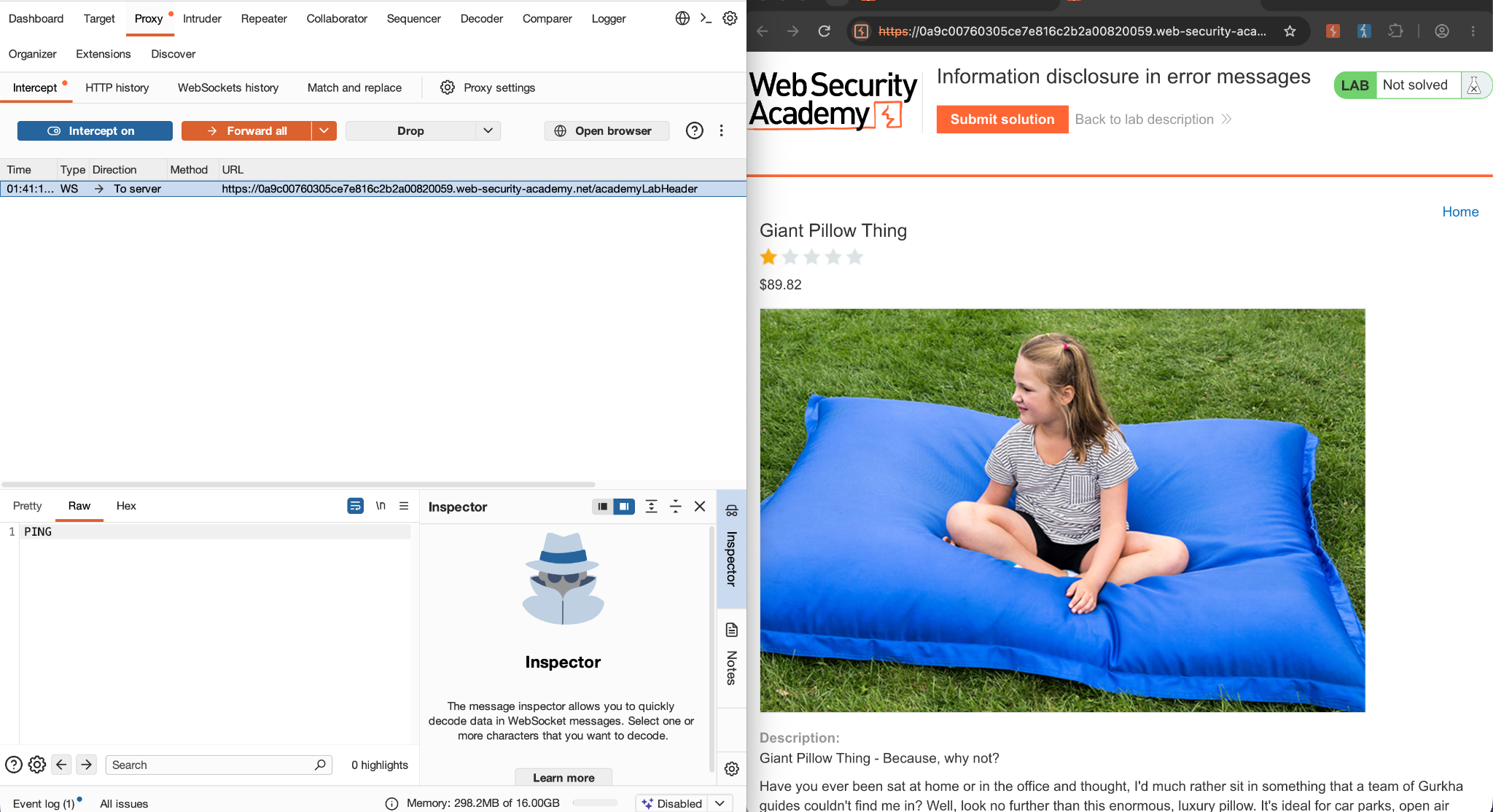
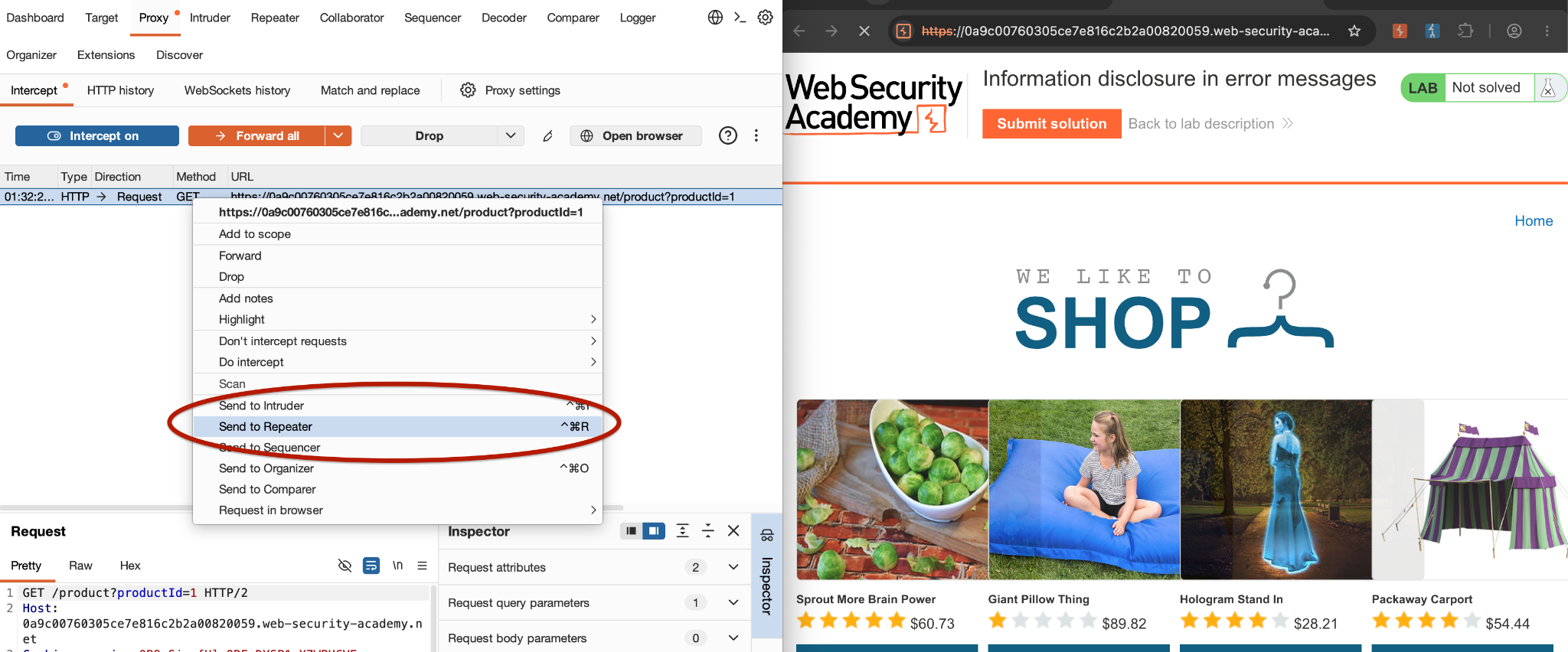
Now lets say we want to test it again, so it won’t be feasible to select the product again and again and intercept it. This is where the Repeater comes in. Right-click the request and select “Send to Repeater”
Burp will copy the request into Repeater. Now click the Repeater tab at the top of Burp Suite. You should see your request there.
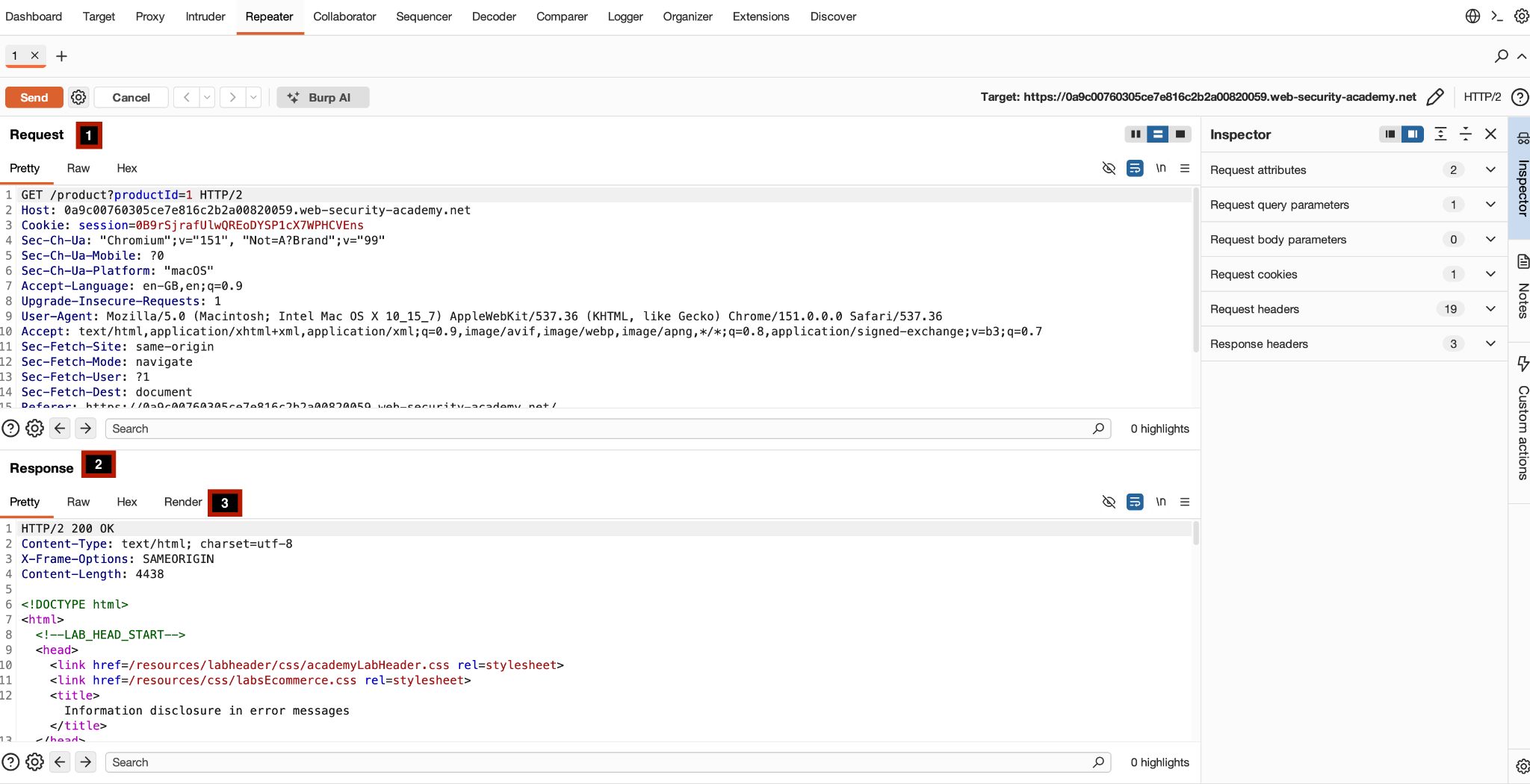
- This is where you can modify the request. The request panel gives a very nice low level request overview where you can modify whatever you want.
- Second is the response panel where you can see what was sent by the server.
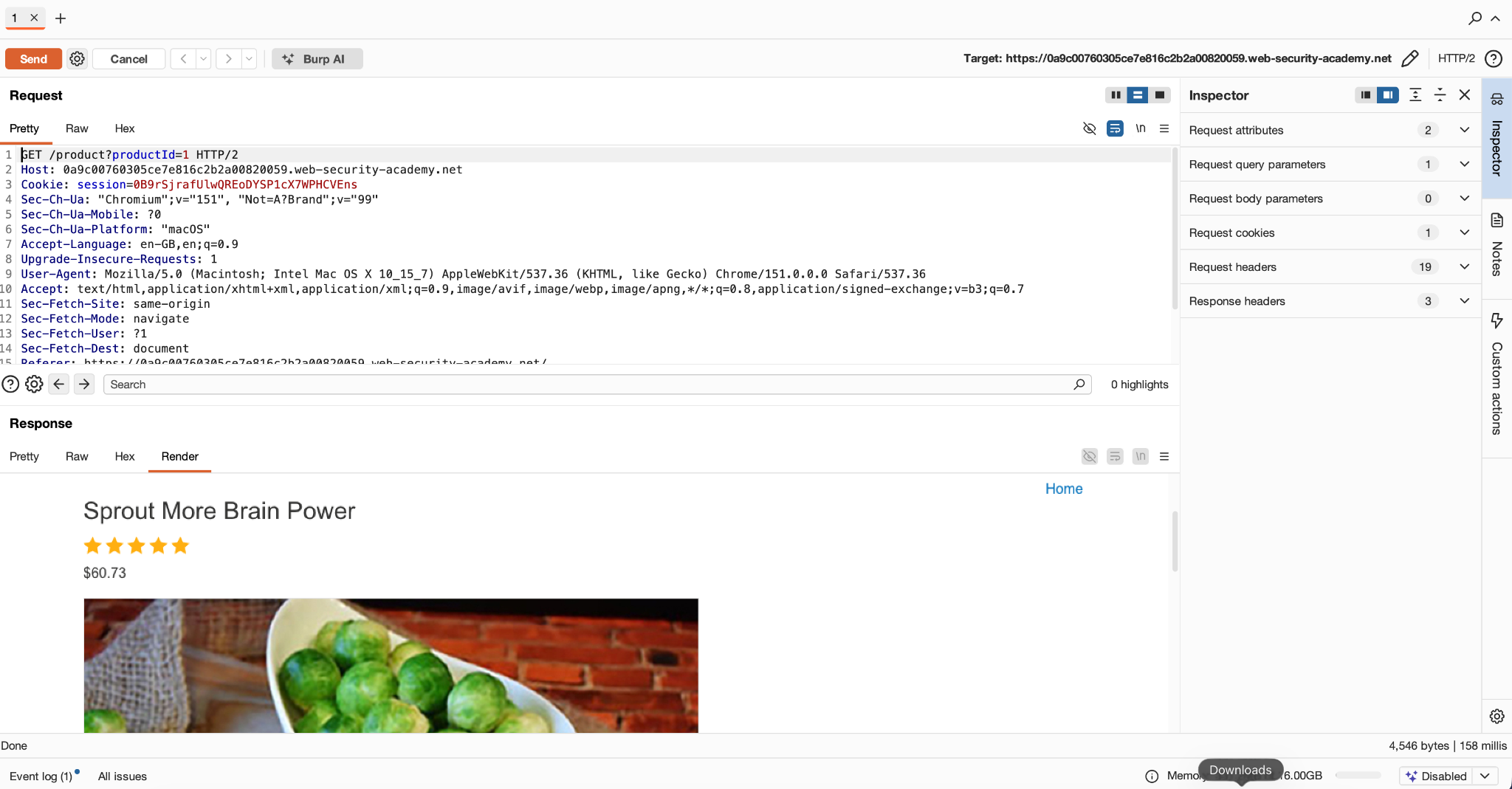
- You can also change the view of the response panel to get a better visible view.
How to Modify HTTP Parameters in Burp Repeater
Till now, we tested the good path of the product. But to check the security posture of the product, as a tester, we are meant to twist things and check the product behavior because in the world out there, things can be different.
Now as we checked, the main parameter the server expects is the productID so we focus on that and try to modify it.
We change it to “-1” and send the request. The server shows a nice error handling i.e. 404
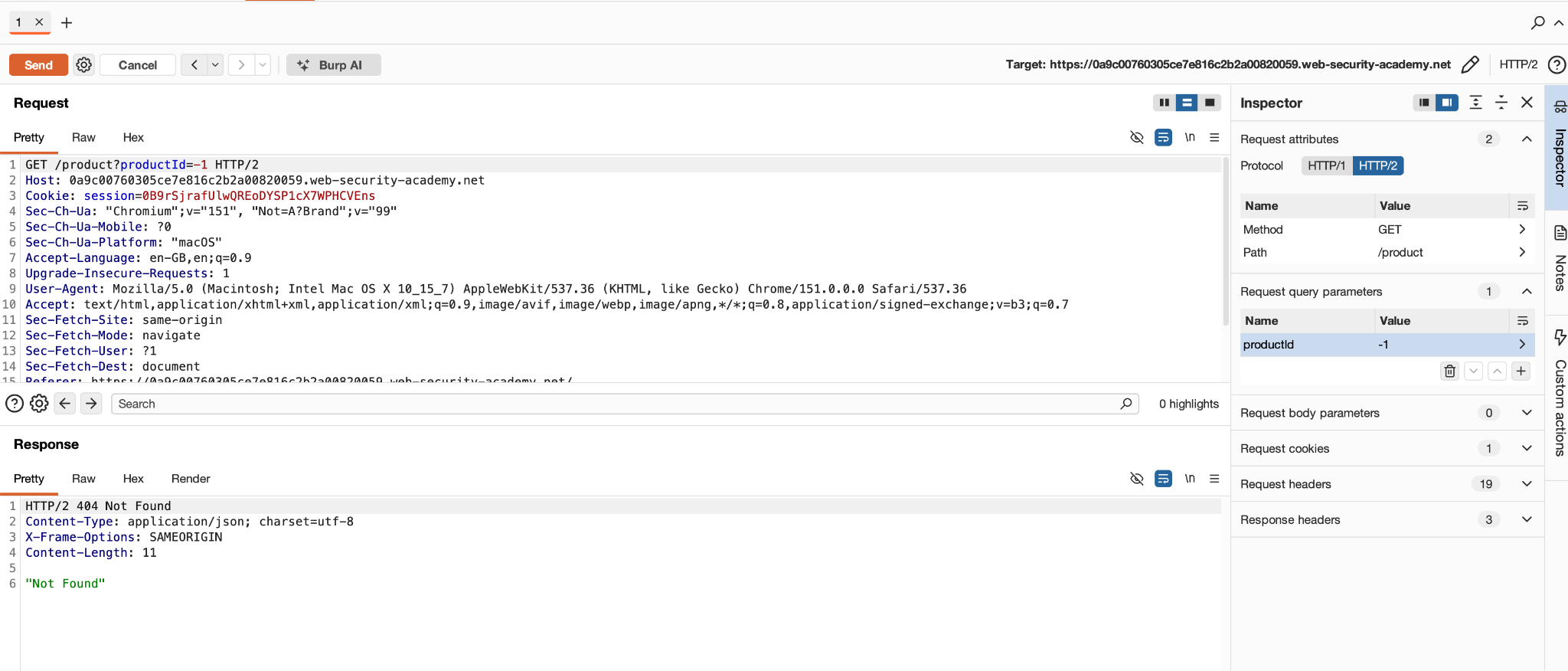
But what if we try something other than an integer? Or a test for a simple SQL injection? The moment we enter “abc” – BANG!!! The server spits out the information about itself.
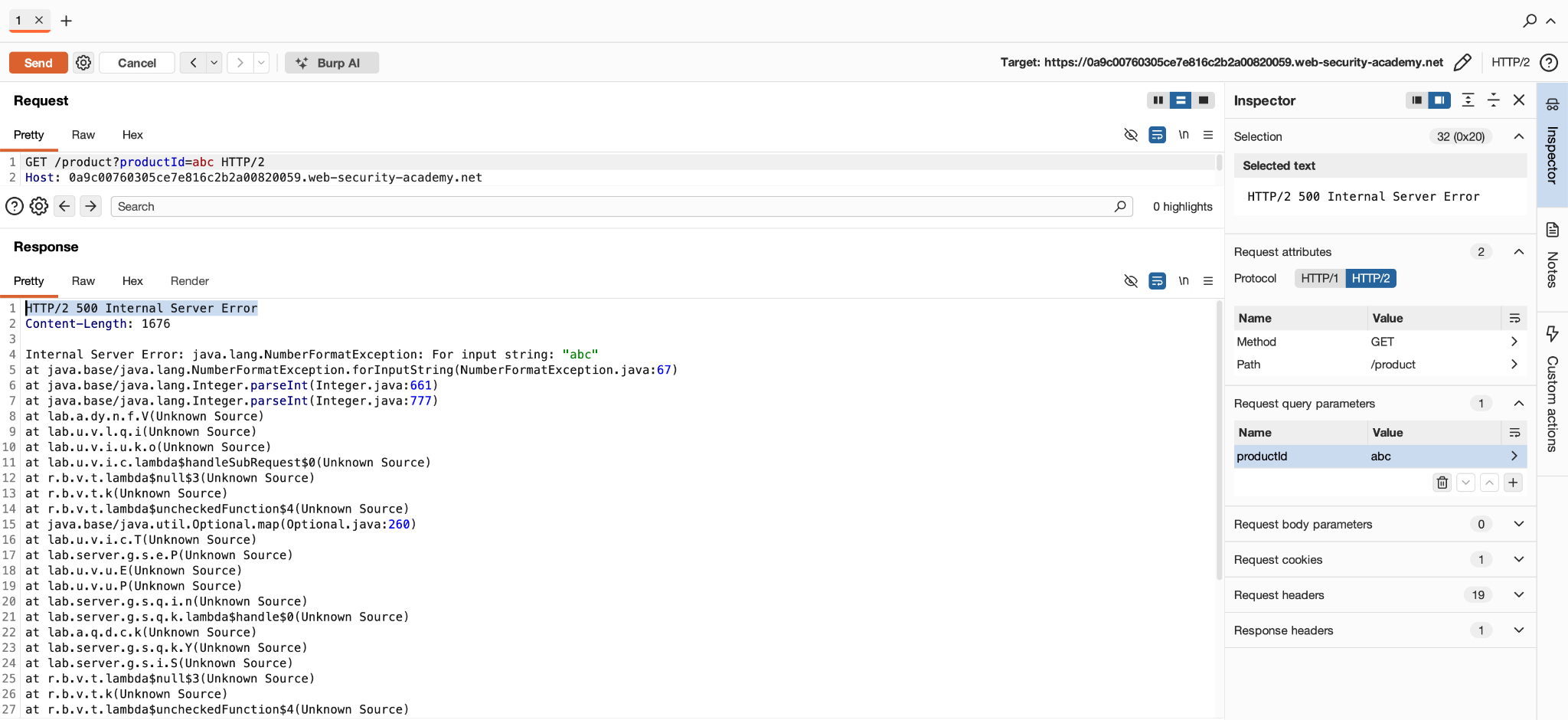
The application wasn’t handling that unexpected input safely. Instead, it generated a verbose error containing internal information. The complete response also gave us server type and its exact version “Apache Struts 2 2.3.31”. That could give an attacker quite some idea what he is up against.
Testing POST Requests with Burp Repeater
The lab contains a purchasing function and we are going to attempt to buy the leather jacket, find the POST /cart request containing a price parameter, send it to Repeater, change the price to an arbitrary integer, and resend it.
Testing Steps
-
Browsing the interface

We are going to use add to cart function here

There could be other requests too while you make your request but you got to find the one that is doing our task and then send that to Repeater
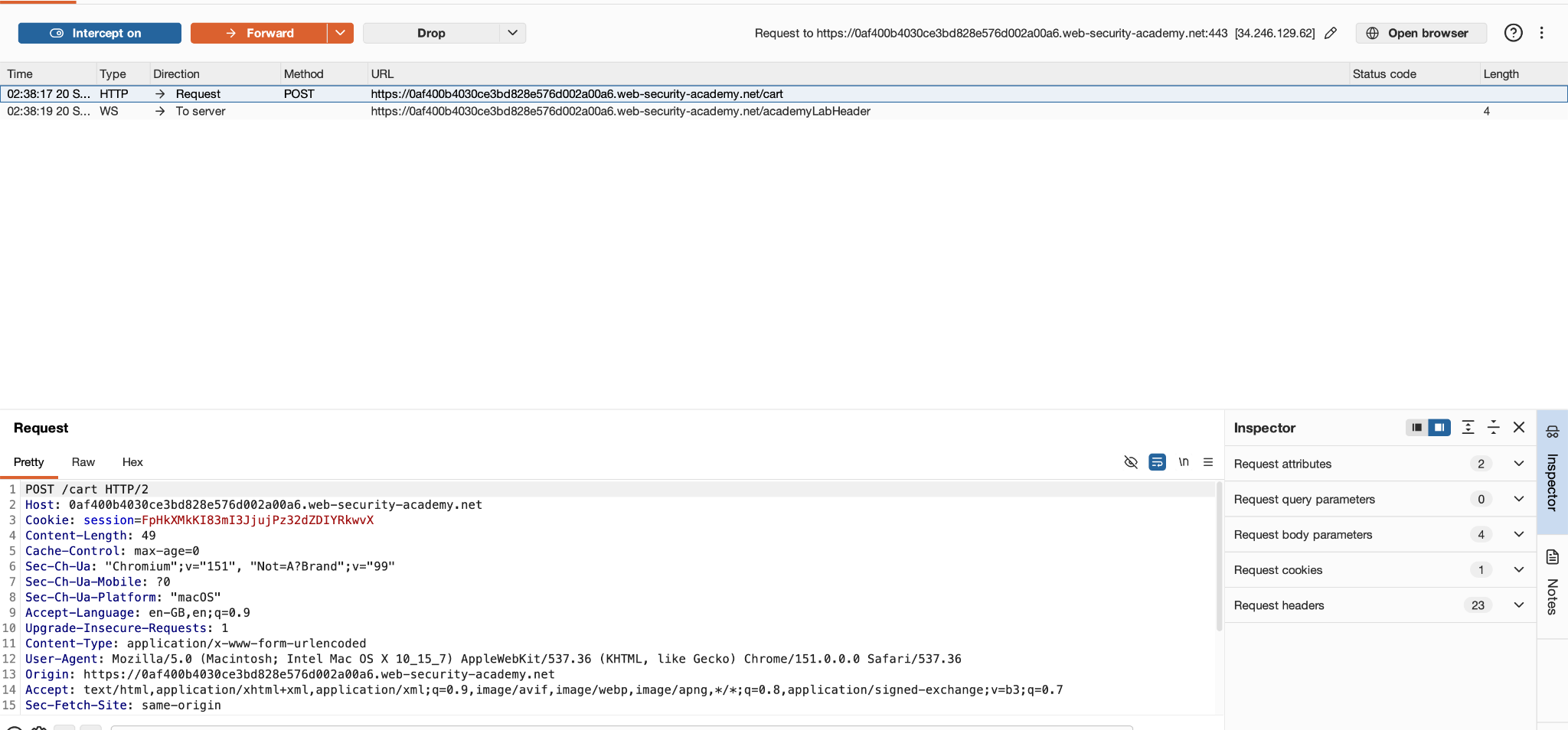
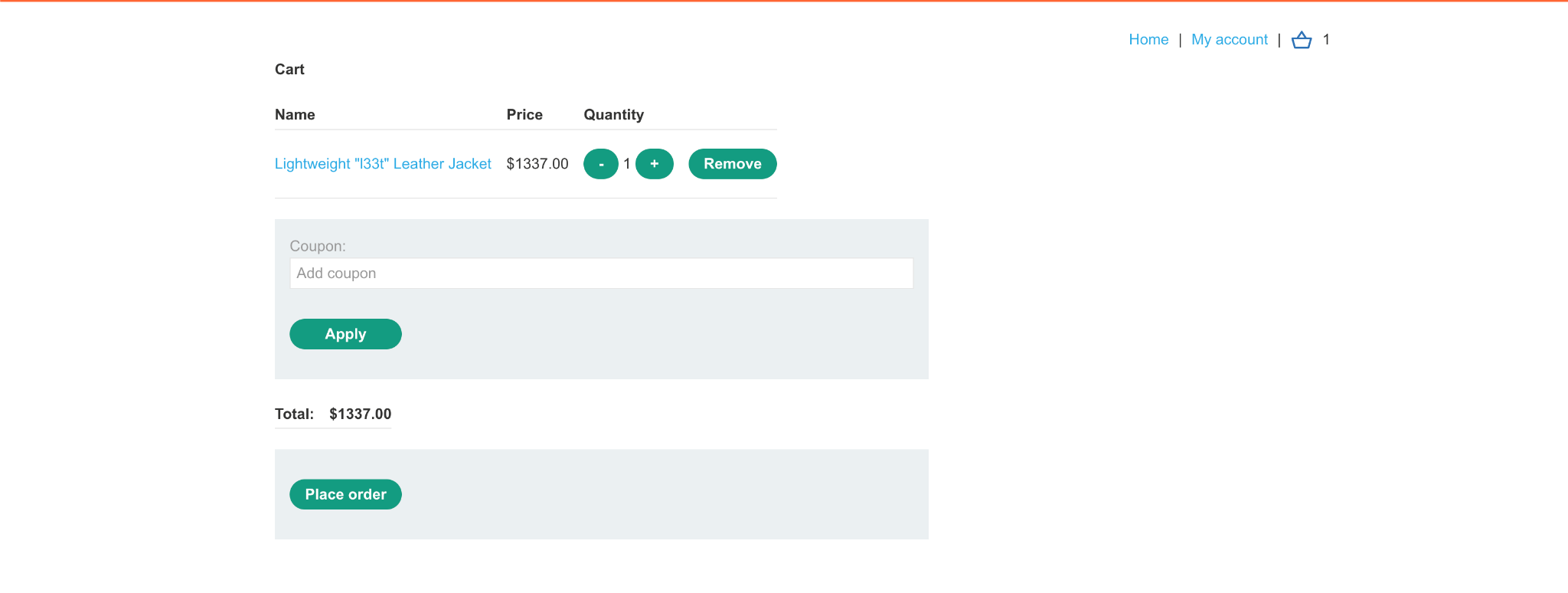
When we use the Repeater to add the product to cart, we first try with a normal flow i.e. without changing anything and the server accepts it.
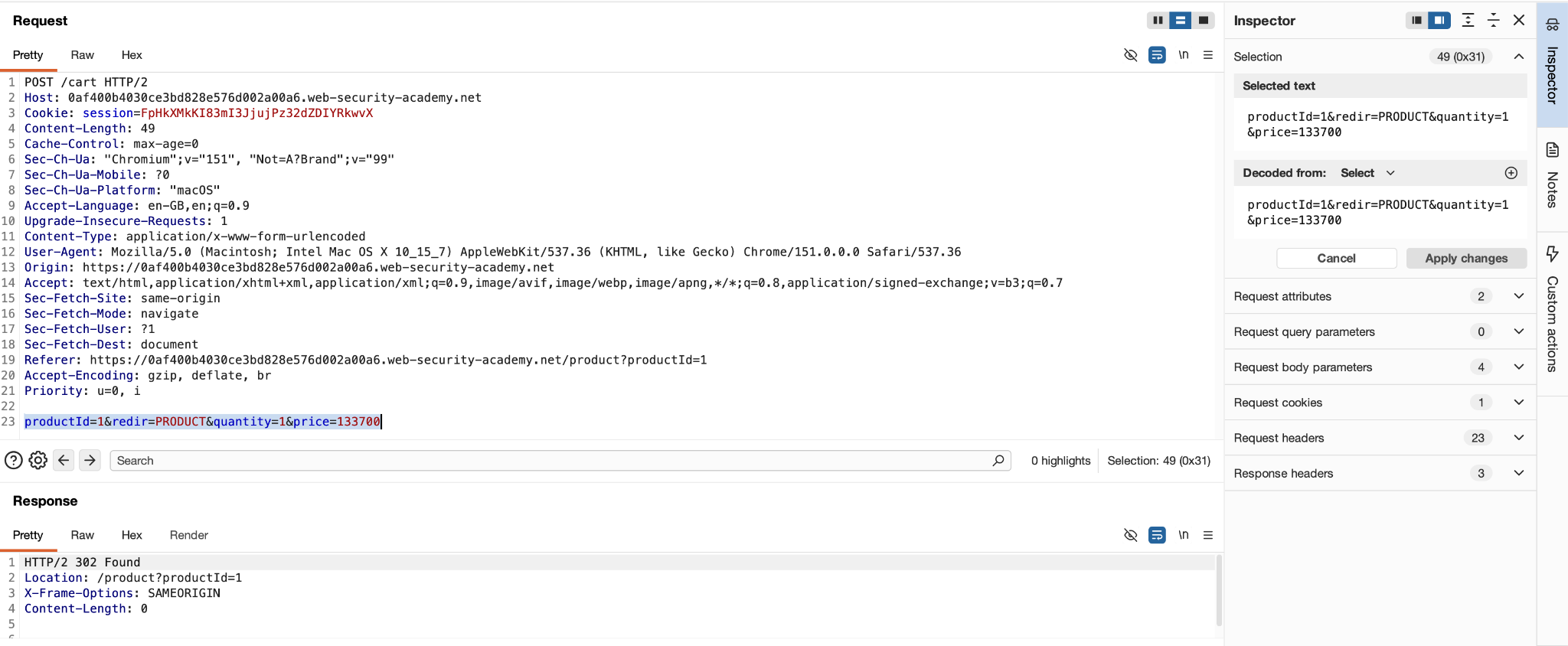
The cart shows a successful addition with “133700” price.
What if we change it? Let’s see if we can change it to 500 and what is the response.
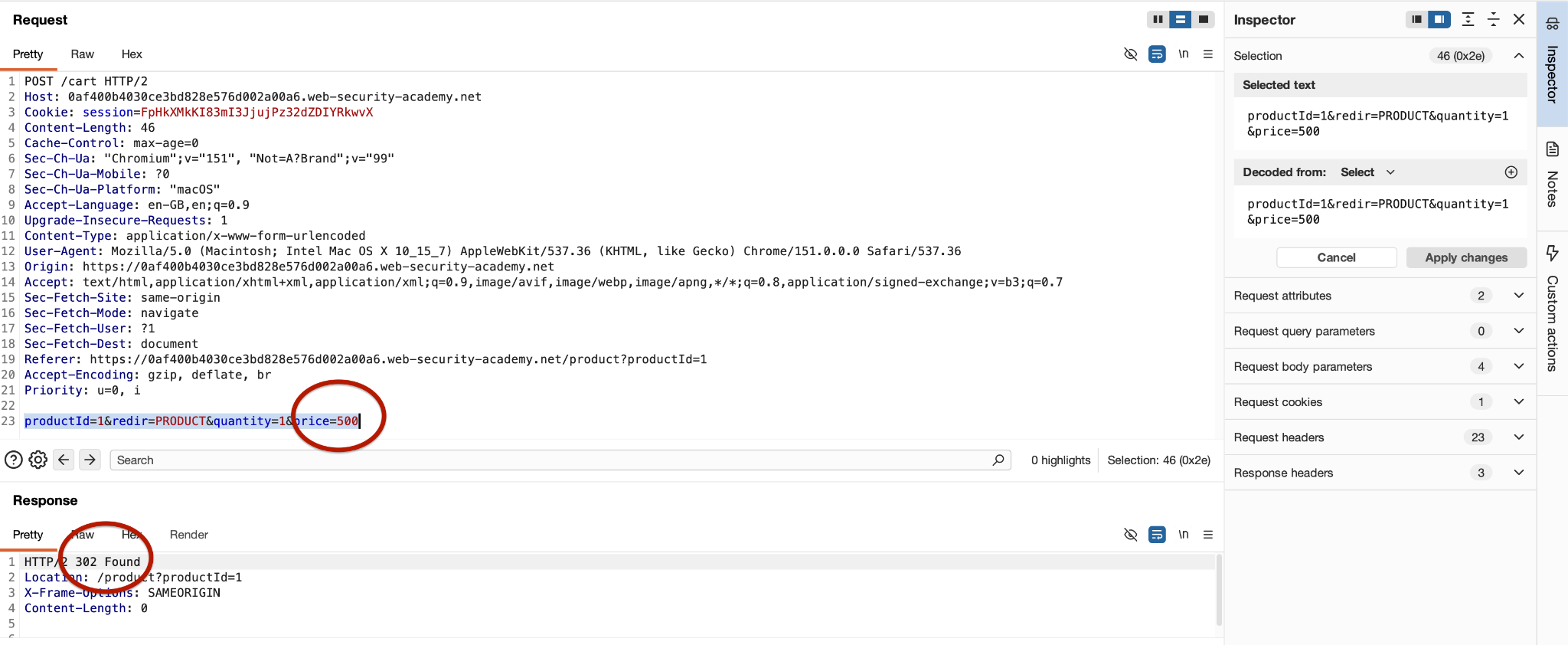
We see the same 302. Now let’s see if we can see this in the cart section too.
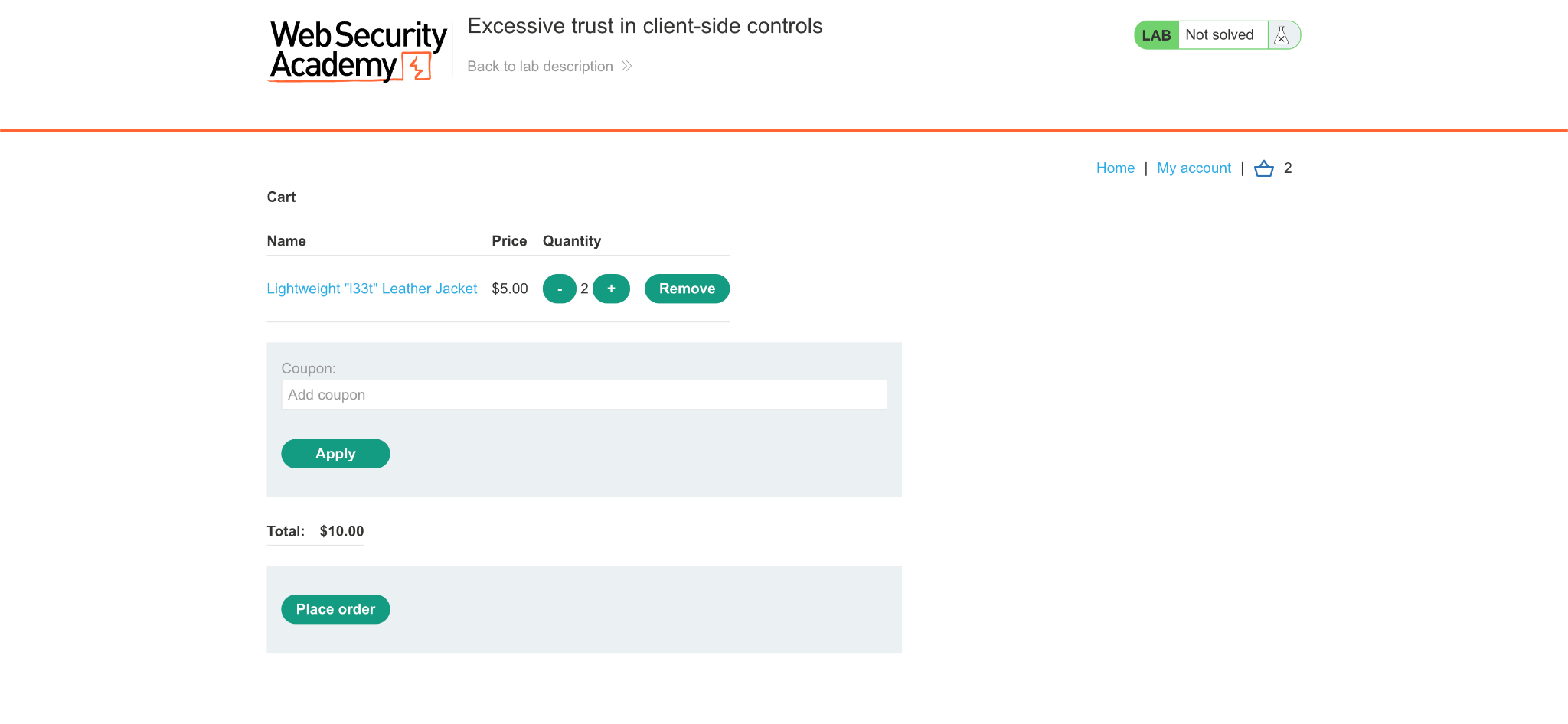
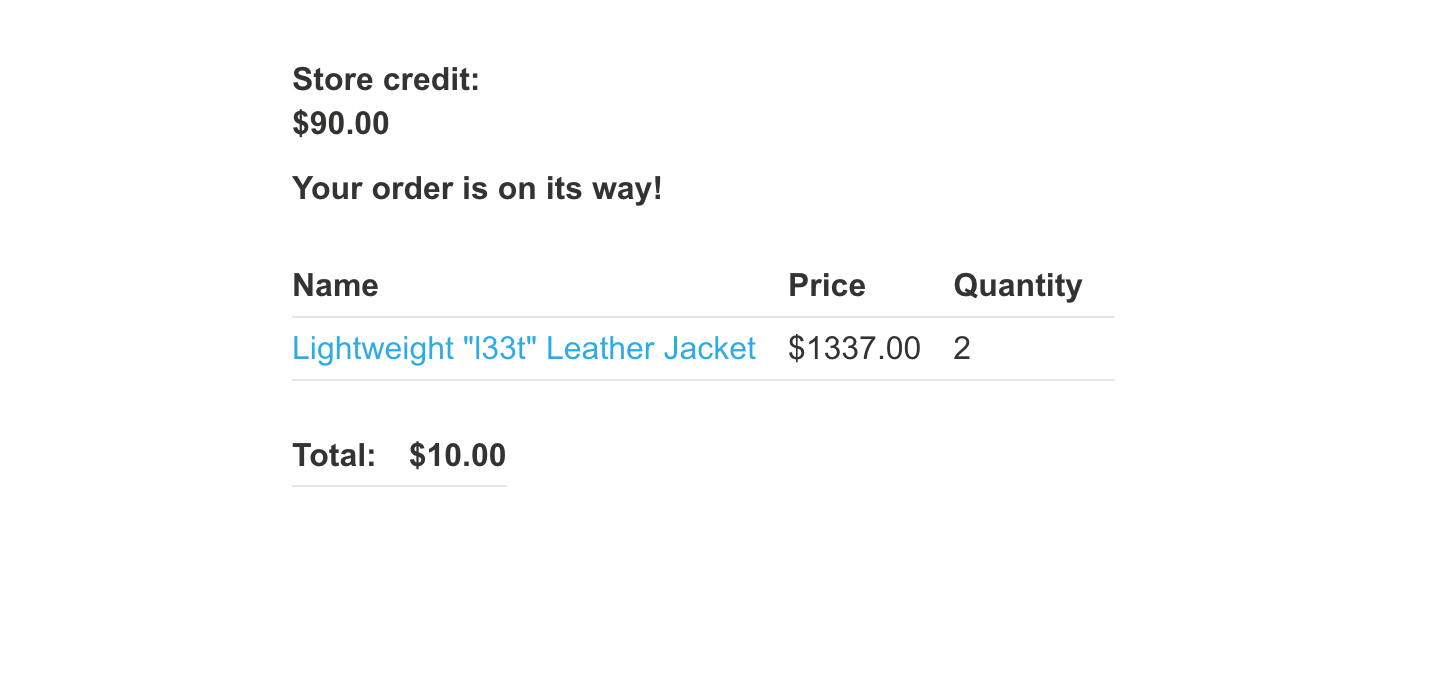
As you can see, now its showing a completely wrong price. And it also let me place the order with only $10 for 2 jackets.
Testing Authentication and Authorization with Burp Repeater
This is where Repeater earns its keep, because these tests require controlled repetition across different identities.
Authentication answers: “Who are you?”
- In the lab, I will log in as the wiener user.
- The application gives me a session cookie that identifies me.
Authorization answers: “What are you allowed to access?”
- Even though I am authenticated as wiener, I should only be able to access resources belonging to wiener.
- The IDOR vulnerability occurs when the application lets you access another user’s object simply by changing an identifier.
Repeater gives you a controlled way to test this.
- Capture a request made while authenticated.
- Send it to the Repeater.
- Identify the object identifier.
- Change that identifier.
- Resend the request.
- Check whether the server properly enforces authorization.
Testing Steps
We did some chatting and now we wanted to download the transcript. We click on “View Transcript”
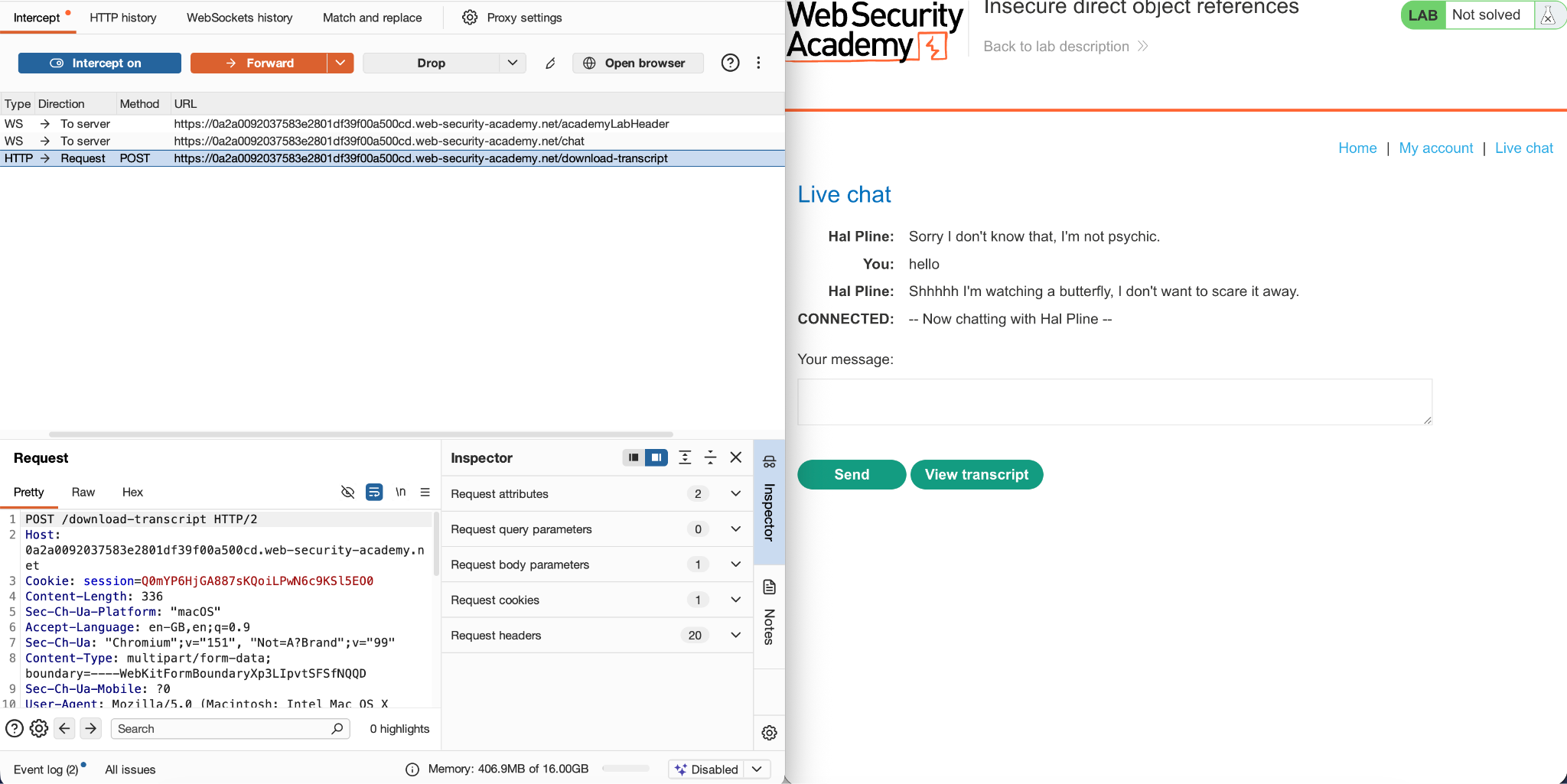
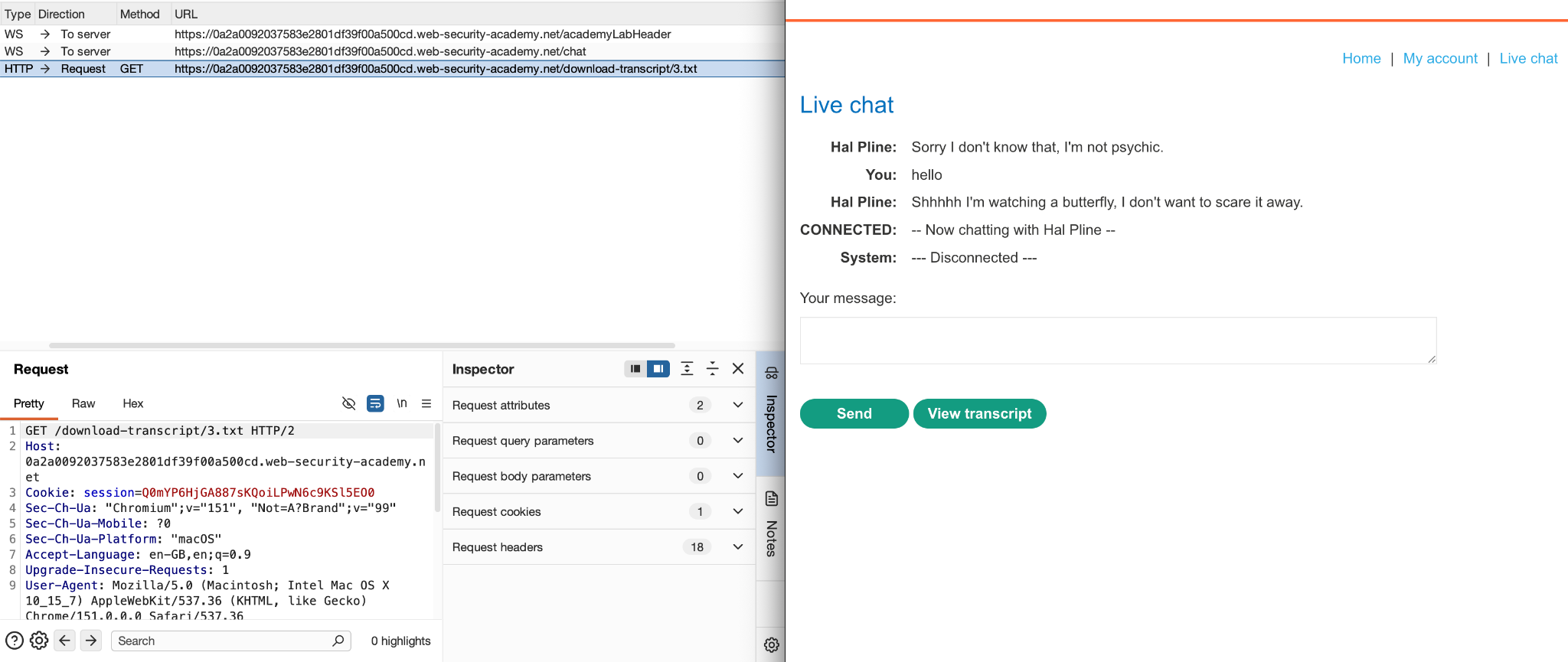
We can see it’s a POST request. When we forward this request, we get another request to get the file but with a name like 3.txt? That looks odd.
And after that, the file is downloaded
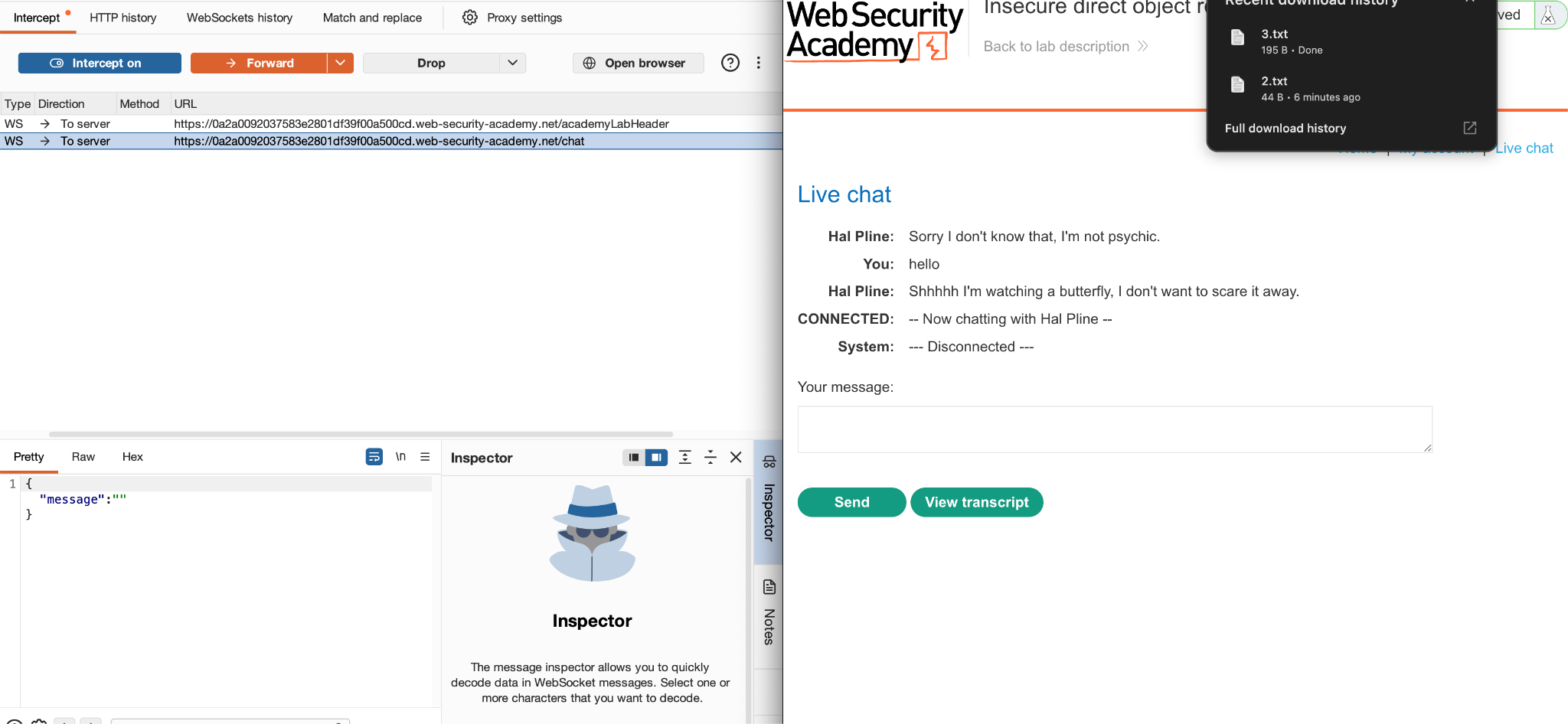
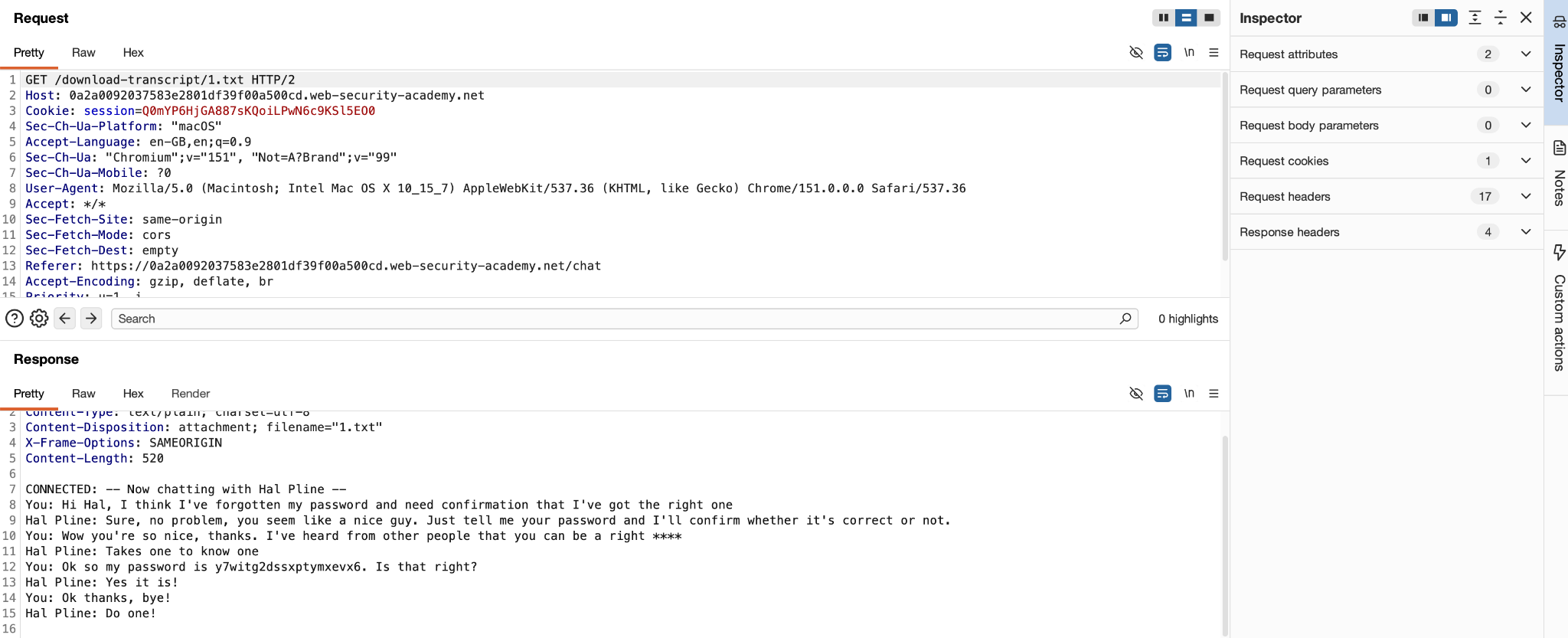
Now lets take a step back and check what we can modify to test. After the first POST request, when we are going to do a GET request to download the file, we can try to change the parameter here and see if we can get access to any other file.
For file 4.txt, we see our chat
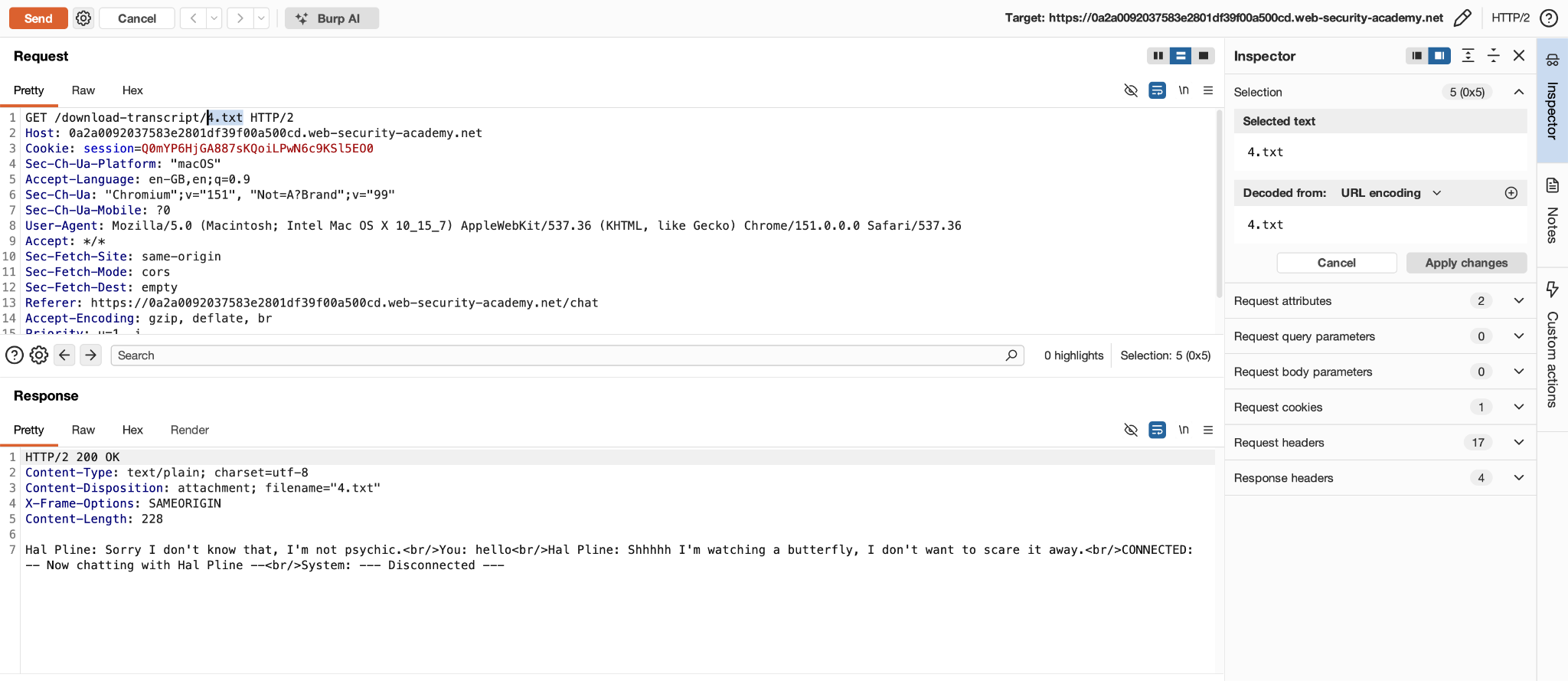
But if we change it to 1.txt, we see the chat of other person too which contains sensitive information
Why Repeater Was Useful
The Core Burp Repeater Workflow
The basic workflow is simple:
Capture → Send to Repeater → Establish Baseline → Modify One Value → Resend → Compare Response
Notice that we didn’t need to automate anything.
We simply:
- Found an interesting request.
- We sent it to the Repeater.
- Then we sent the original request.
- Changed one parameter.
- Again sent the modified request.
- We Compared the response.
- Identified information disclosed by the server.
This is exactly where Repeater becomes valuable during a penetration test. You can repeatedly test different inputs without having to navigate through the application manually each time.
Testing Headers and Cookies with Burp Repeater
Headers and cookies carry a lot of trust decisions the server makes about you. Repeater is the ideal place to probe those decisions.
Headers worth testing:
- User-Agent – some applications behave differently for mobile or bot user agents
- Referer – access control sometimes relies on it
- X-Forwarded-For, X-Forwarded-Host, X-Original-URL – often trusted incorrectly by proxies and frameworks
- Host – relevant for virtual host routing and host header injection
- Content-Type – changing it can bypass input filters or trigger different parsers
Cookies worth testing:
- Delete the session cookie entirely and resend
- Modify a role or user ID value inside a cookie
The workflow is the same as with parameters i.e. baseline first, then one change at a time.
Burp Repeater vs Intruder
Burp Repeater is best when you want to manually modify and resend individual HTTP requests while closely analyzing each response. Burp Intruder is designed for automating repeated requests using multiple payloads.
A common workflow is to use Repeater while manually investigating a potential vulnerability and move to Intruder when you need to test many values automatically.
Common Burp Repeater Mistakes
Changing too many things at once
Avoid modifying the parameter, cookie, headers, and method simultaneously. Change one thing at a time so you can understand cause and effect.
Not sending the original request first
Always establish a baseline when practical. Otherwise, you may not know whether the behavior you’re seeing is actually caused by your modification.
Looking only at the status code
Don’t look only at 200 OK or 500 Internal Server Error. Read the response body as well. Important information may be contained inside the response body.
Assuming every error is a vulnerability
An error by itself isn’t necessarily a security vulnerability. You need to determine whether the error exposes useful internal information or otherwise creates a security impact.
Closing thoughts
Repeater is one of those Burp Suite tools that might seem simple at first, but you’ll end up using it a lot during a pentest. Proxy helps you find interesting requests, but Repeater is where you can slow things down, change the request, and see what actually happens.
The main thing is not using complicated payloads. It’s about changing one thing at a time, keeping the original request as a reference, and paying attention to how the response changes.
If you want a quick reference for the rest of Burp’s tools, shortcuts and features, see our Burp Suite Cheat Sheet.