
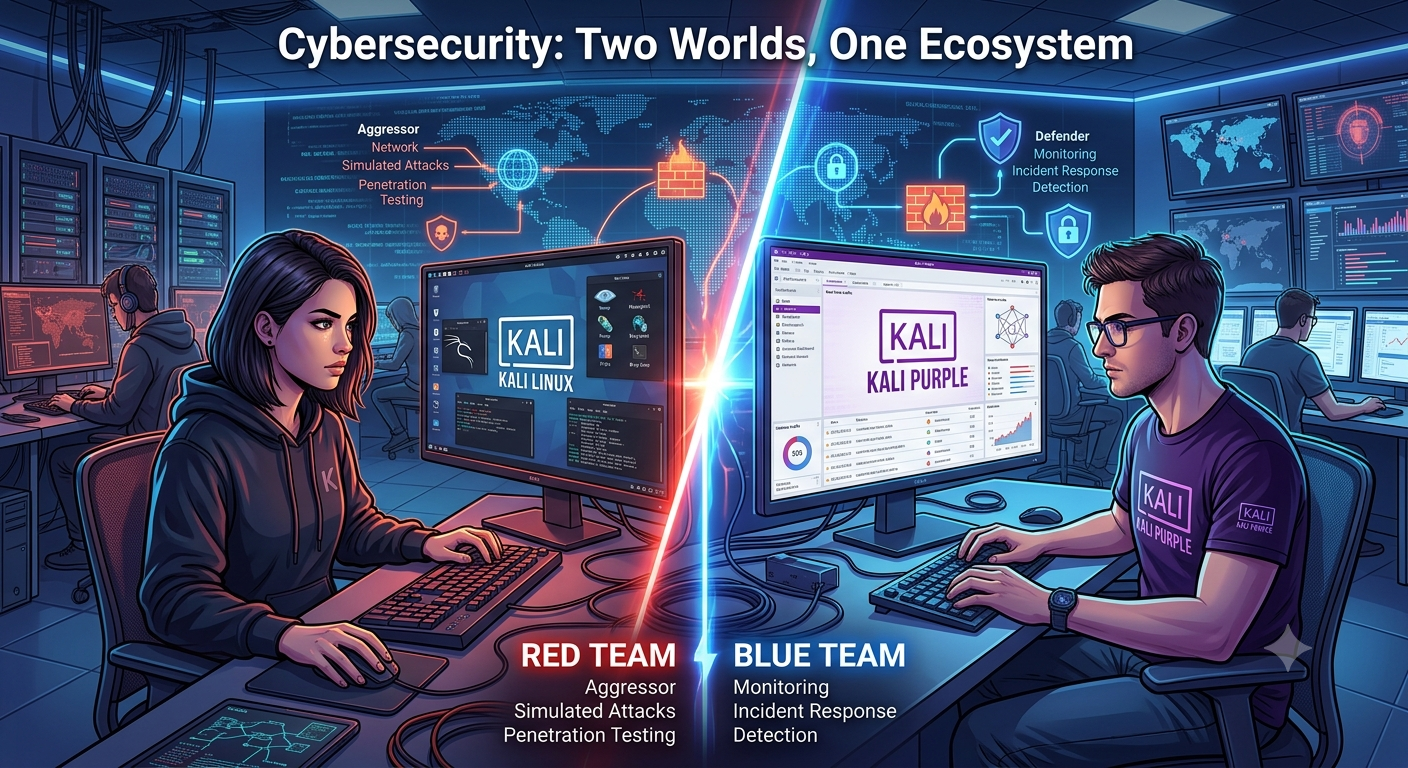
Cybersecurity has traditionally been divided into two distinct worlds. On one side are red teams — ethical hackers who simulate attacks to identify vulnerabilities before cybercriminals exploit them. On the other side are blue teams, the defenders responsible for detecting, investigating, and responding to real-world attacks.
For years, Kali Linux has been the go-to operating system for penetration testers and ethical hackers. It includes hundreds of offensive security tools for vulnerability assessments, exploitation, password auditing, wireless security testing, and digital forensics. However, while Kali Linux excels at offensive security, organizations also need a platform that empowers defenders to monitor networks, investigate incidents, and improve security operations.
This is where Kali Purple enters the picture. Rather than replacing Kali Linux, Kali Purple expands the Kali ecosystem by introducing a curated collection of defensive security tools. It enables security analysts, SOC (Security Operations Center) teams, incident responders, digital forensics professionals, and cybersecurity students to build and practice blue team workflows using open-source technologies.
What Is Kali Purple?
Kali Purple is a defensive security-focused edition of Kali Linux developed by Offensive Security (OffSec). Instead of concentrating solely on penetration testing, it provides a complete environment for Security Operations Center (SOC) activities, including:
- Threat detection
- Security monitoring
- Network traffic analysis
- Endpoint monitoring
- Log aggregation
- Incident response
- Threat hunting
- Digital forensics
- Security orchestration
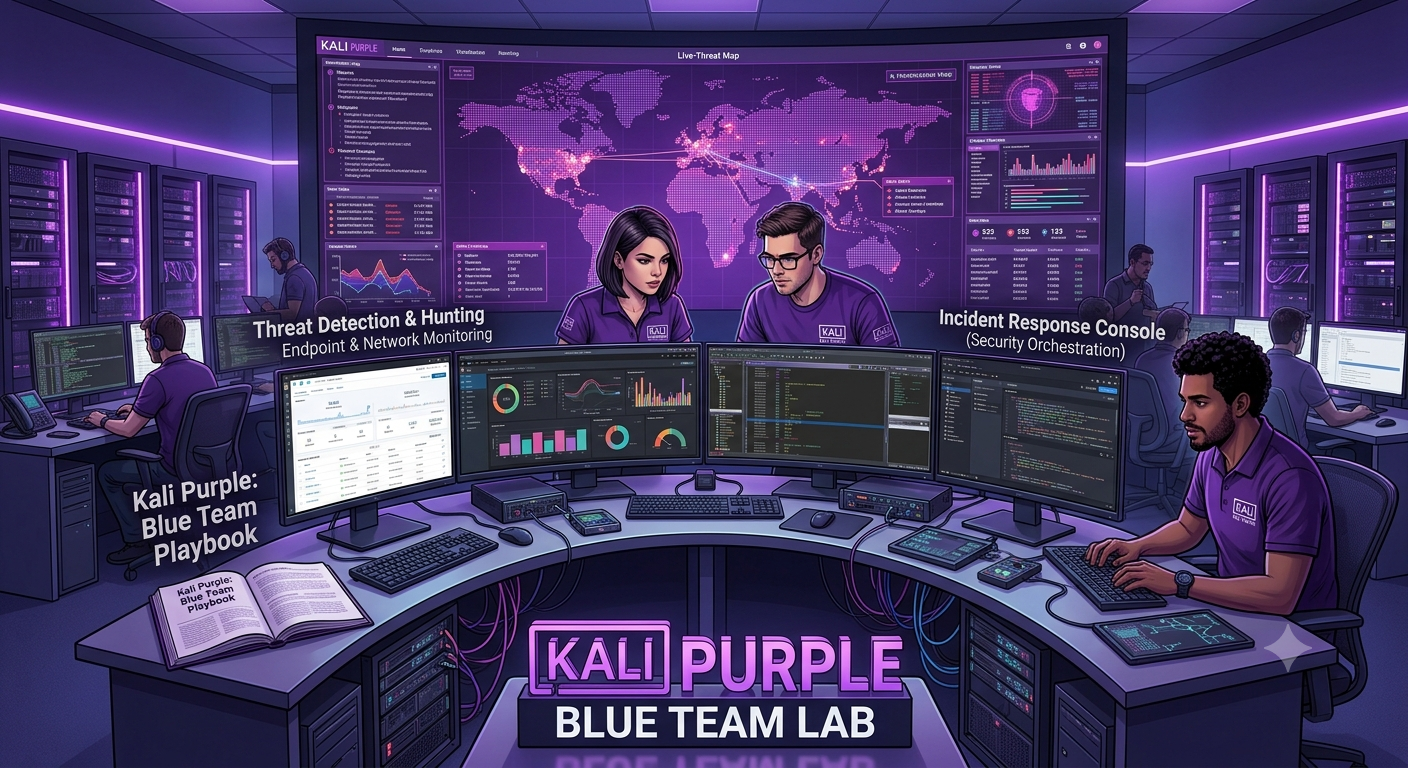
Think of Kali Purple as a cybersecurity laboratory where defenders can deploy, configure, and learn enterprise-grade blue team tools without purchasing expensive commercial solutions.
Unlike many Linux distributions that require administrators to manually install and integrate dozens of security applications, Kali Purple brings these tools together in a single distribution. This significantly reduces the time needed to build a realistic SOC lab.
The Foundation: NIST Cybersecurity Framework 2.0
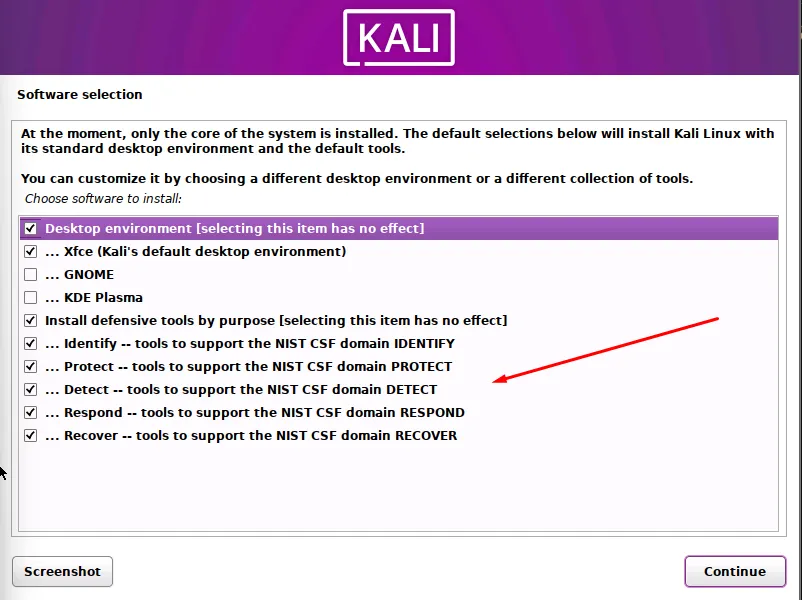
Kali Purple is organized around the NIST Cybersecurity Framework (CSF) 2.0. Instead of a chaotic list of applications, the main menu maps tools directly to NIST’s six core security functions:
- GOVERN (GV): Strategy and policies. Supported by Kali Purple’s logging, visibility, and compliance reporting tools.
- IDENTIFY (ID): Asset and risk discovery. Uses tools like GVM (Greenbone Vulnerability Management) to map vulnerabilities.
- PROTECT (PR): Safeguards and defense. Uses platforms like Elastic Security for continuous monitoring and data protection.
- DETECT (DE): Threat and anomaly discovery. Powered by heavy-hitters like Arkime, Suricata, and Zeek for deep network monitoring.
- RESPOND (RS): Incident containment. Uses TheHive as a collaborative platform to analyze and manage active security events.
- RECOVER (RC): System restoration. While Kali Purple lacks dedicated backup tools, its forensic capabilities guide post-incident improvement.
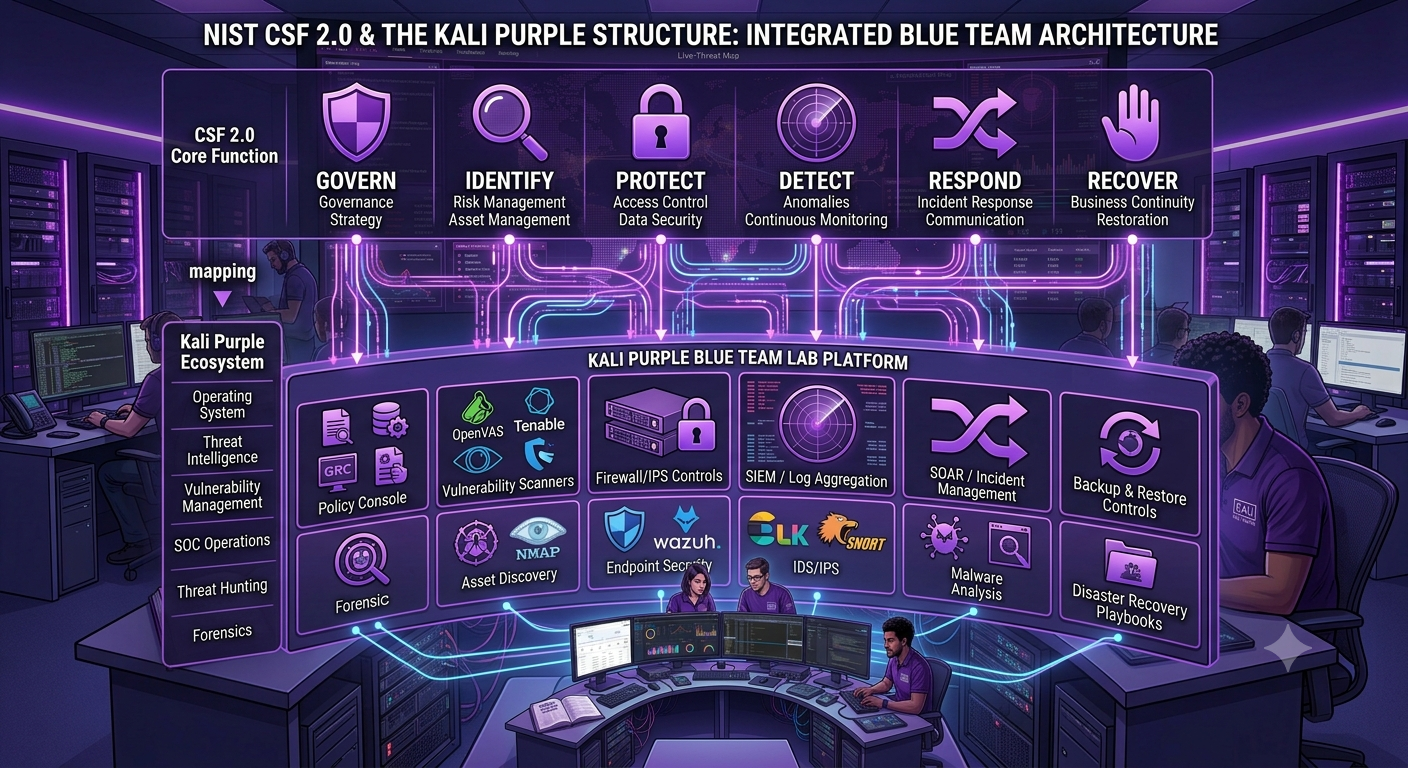
By embedding this framework directly into the applications menu, Kali Purple shifts the workflow from a random collection of hacking tools to a structured, enterprise-ready defensive operation.
The SOC-In-A-Box Architecture
Kali Purple’s most innovative feature is arguably its “SOC-In-A-Box” architecture. This isn’t a single tool but a reference architecture for building a functional Security Operations Center using open-source tools, all coordinated through the Kali Purple platform.
What Is SOC-In-A-Box?
The SOC-In-A-Box concept consolidates essential defensive cybersecurity tools and processes into a single platform. This integrated approach allows organizations to efficiently monitor, analyze, and respond to threats, vulnerabilities, and incidents in real time.
Kali Purple’s SOC-In-A-Box offers several advantages:
- Simplified Deployment: Using Kali Purple as a base reduces the complexity of installing and configuring multiple security tools
- Modular Design: You can customize your SOC with only the tools you need
- Streamlined Workflows: Tools are pre-integrated and organized for efficient operations
- Cost Effectiveness: All tools are open source, significantly reducing licensing costs
- Educational Value: Provides a complete SOC environment for training and experimentation
A Real-World SOC-In-A-Box Implementation
Project: Building a Fully Functional SOC-in-a-Box
Components:
- Kali Purple: The base platform providing the defensive toolset
- Elastic Stack: For SIEM capabilities (Elasticsearch + Kibana)
- OPNSense Firewall: For network traffic analysis
- Elastic Defend EDR: For malware detection and endpoint monitoring
Features:
- Centralized log management using Elastic Stack
- Real-time endpoint monitoring with Elastic Defend
- Network traffic analysis through OPNSense integration
The Complete Kali Purple Toolset
Kali Purple includes over 100 defensive tools . While we can’t cover every tool, here’s a comprehensive list organized by their NIST CSF functions:
Govern (GV)
Kali Purple does not yet provide dedicated governance tools, but monitoring and reporting capabilities support this function
Identify (ID)
- GVM (Greenbone Vulnerability Management) – Vulnerability scanner
- Dscan – Distributed network enumeration
Protect (PR)
- Elastic Security – SIEM with threat detection
- OPNsense – Firewall and routing platform
Detect (DE)
- Arkime – Full packet capture and search
- Suricata – High-performance IDS/IPS engine
- Zeek – Network analysis framework
- Malcolm – Network traffic analysis tool suite
- OpenCTI – Cyber threat intelligence platform
- Elastic Defend – Endpoint Detection and Response
Respond (RS)
- TheHive – Incident response platform
- Cortex – Security observables analysis
Recover (RC)
Supported through forensic and analysis capabilities
Cross-Functional Tools
- CyberChef – “Cyber Swiss Army Knife” for data analysis
- Kali Autopilot – Attack script builder and automation framework
- Velociraptor – Endpoint visibility and forensics toolkit
- DefectDojo – Vulnerability management correlation
- PACK2 – Password Analysis and Cracking Kit
- Redeye – Data management for pentest operations
- Kubernetes-Helm – Kubernetes package management
- Unicrypto – Unified crypto interface
Top Tools in Kali Purple
GVM (Greenbone Vulnerability Management)
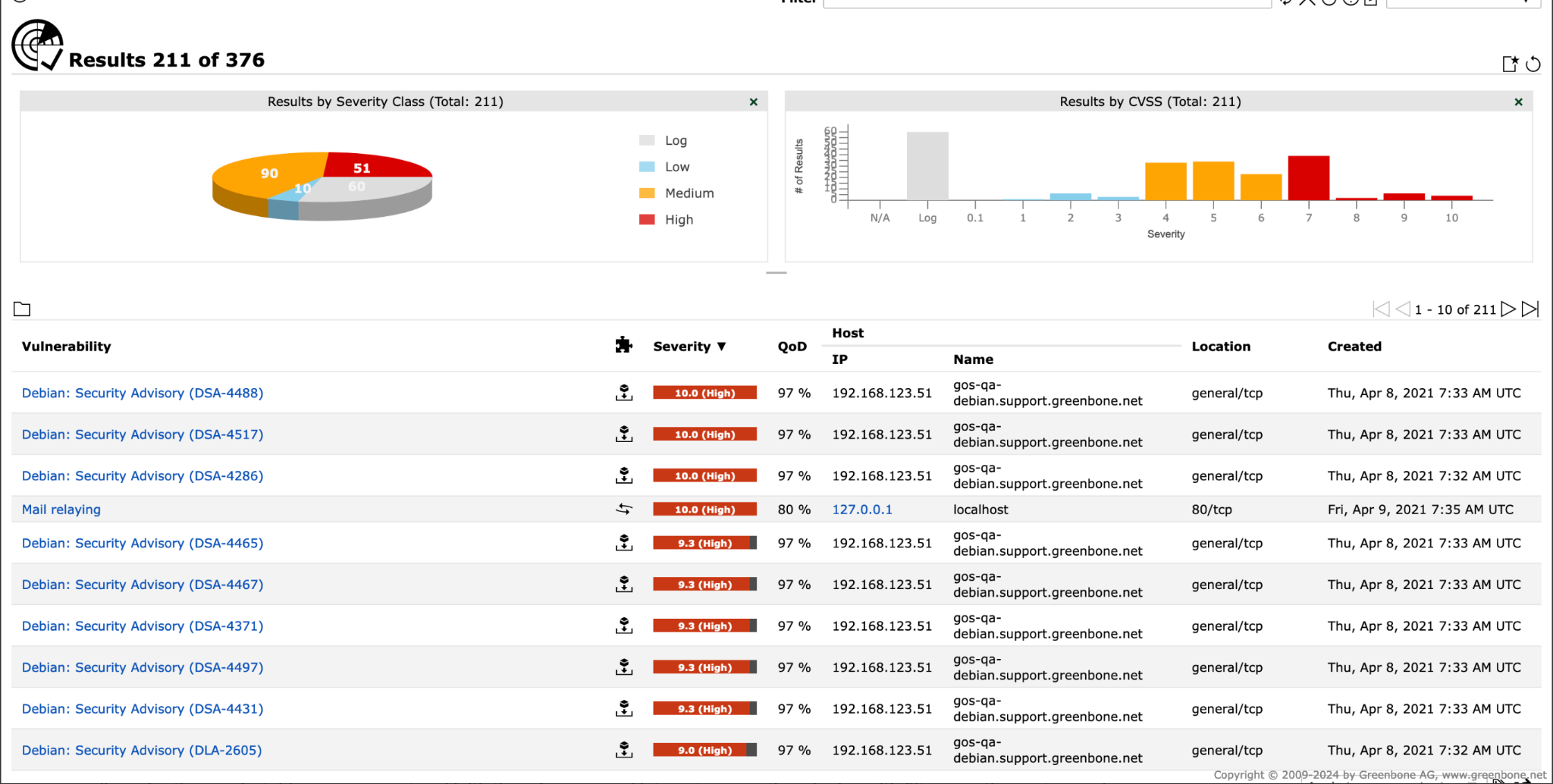
GVM is an open-source vulnerability scanner that evolved from the popular OpenVAS project. It’s the primary tool in Kali Purple for identifying vulnerabilities across your infrastructure, mapping directly to the IDENTIFY function of the NIST CSF .
GVM operates through a multi-component architecture. The scanner engine checks systems against a constantly updated feed of Network Vulnerability Tests (NVTs). These tests cover known vulnerabilities, configuration issues, and security best practices. The results are compiled into a comprehensive database and presented through a web interface (GSAD) that allows security teams to view, prioritize, and track vulnerabilities.
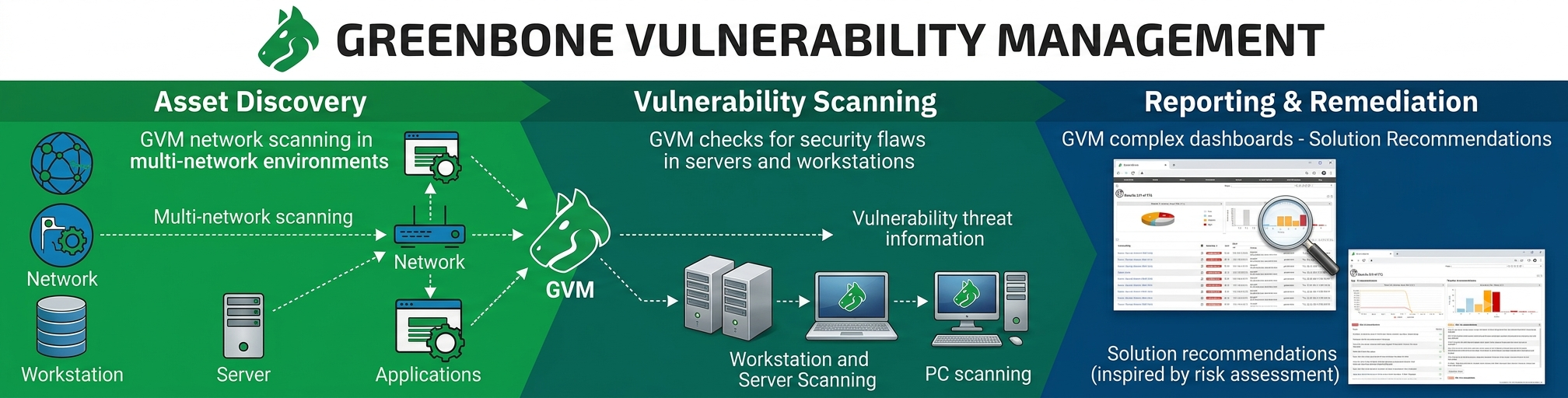
The tool uses several components working together:
- OpenVAS Scanner: The core scanning engine
- GVM Manager: The central control component
- GVM Web Interface: The user dashboard
- Vulnerability Feed: Regularly updated database of tests
A sample page looks like this
Wazuh
Wazuh is an open-source Security Information and Event Management (SIEM) and Extended Detection and Response (XDR) platform. Think of Wazuh as the central nervous system of your SOC.
It continuously collects information from servers, workstations, virtual machines, cloud instances, and containers.
Rather than requiring analysts to manually inspect every machine, Wazuh automatically gathers:
- Windows Event Logs
- Linux authentication logs
- File integrity changes
- Running processes
- Installed software
- User logins
- Active network connections
- Security policy violations
All of this information is normalized into searchable alerts.
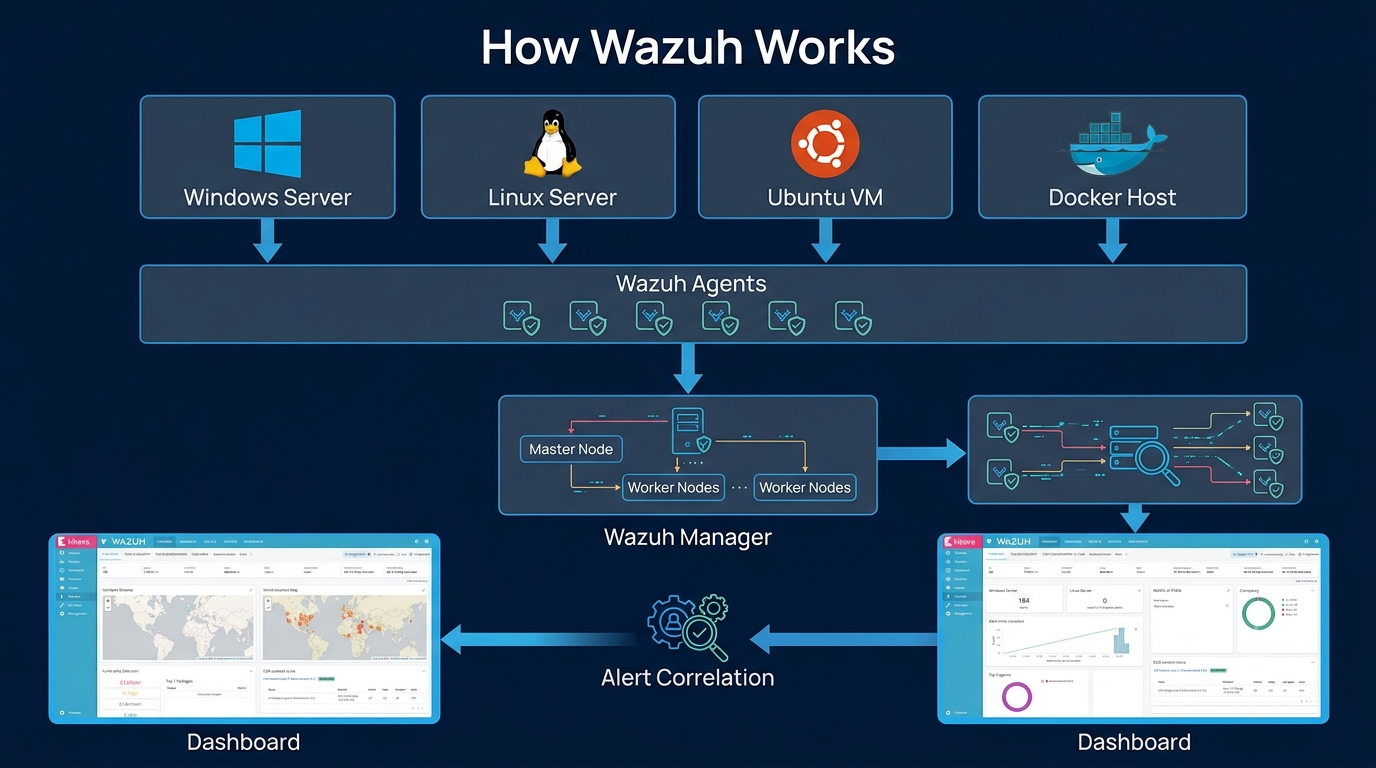
Example – Multiple Failed SSH Logins
Suppose an attacker attempts to brute-force SSH.
Instead of ignoring individual log entries, Wazuh correlates them into a high-severity alert.
The analyst immediately knows that someone is attempting unauthorized access.
Example – Unauthorized File Modification
Suppose ransomware encrypts files inside:
Wazuh’s File Integrity Monitoring (FIM) detects unexpected modifications.
The analyst receives an alert before customers even report website issues. Without Wazuh, hundreds of systems produce millions of logs and it is not feasible to look at all of them. With Wazuh, logs become meaningful alerts and it becomes easy to take action on them.
Suricata
Suricata is an Intrusion Detection System (IDS) and Intrusion Prevention System (IPS). Rather than monitoring endpoints, Suricata monitors network traffic. Every packet flowing through your network can be inspected. It can detect:
- Malware communication
- Port scans
- Command-and-Control traffic
- Exploit attempts
- SQL injection
- Shell uploads
- DNS tunneling
Suricata uses a combination of signature-based detection, anomaly detection, and protocol analysis to identify malicious activity on your network :
- Signature-Based Detection: Compares network traffic against a database of known attack patterns (signatures).
- Protocol Analysis: Deep inspection of network protocols to identify anomalies or malicious behavior
- Anomaly-Based Detection: Baseline normal traffic patterns to identify unusual activity
- Application Layer Analysis: Inspects traffic at the application layer (HTTP, DNS, TLS, etc.) to identify malware and exploit attempts
Suricata Custom Rule
Example 1 – SQL Injection
Attacker sends
Suricata matches its IDS rule. And alert will be like
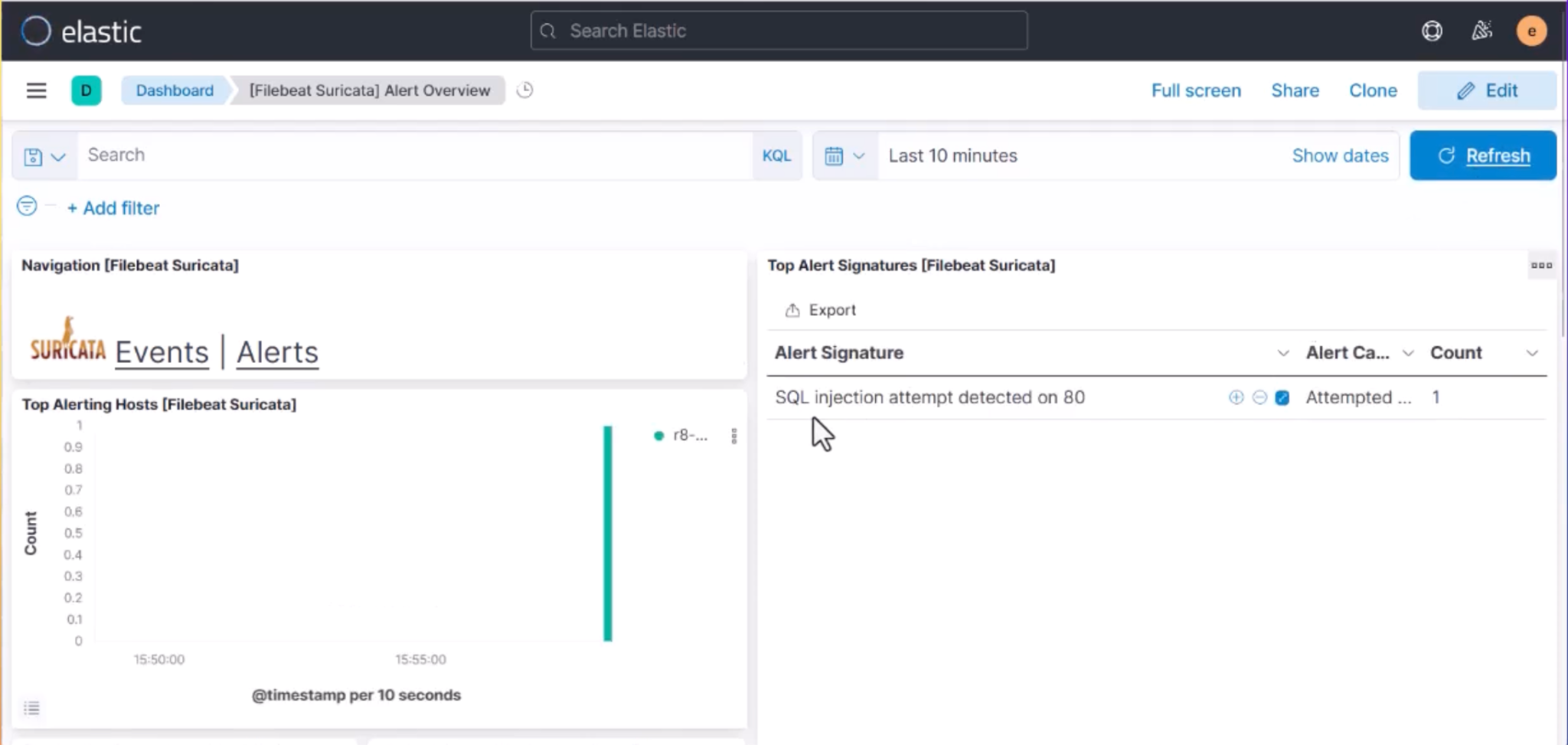
SOC analysts immediately know someone is probing the web application.
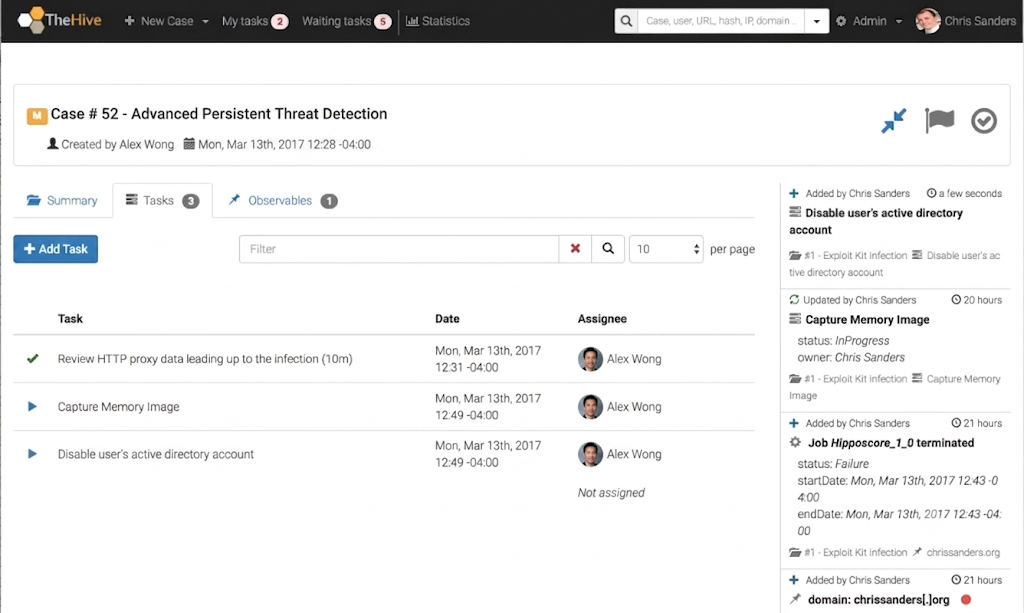
TheHive
TheHive is a scalable, open-source Security Incident Response platform that helps security teams manage and coordinate their incident response efforts. It provides a collaborative environment where team members can share information, track progress, and streamline incident response. It is not a detection tool itself but comes after an alert is generated.
TheHive operates through a case management model :
- Case Management: Each security incident becomes a case that can be tracked, analyzed, and resolved
- Collaboration: Multiple team members can work on the same case simultaneously
- Observables: Track indicators of compromise (IP addresses, domains, file hashes) across cases
- Integration: Connects with tools like Cortex for analysis, MISP for threat intelligence, and Elastic for data sources
- Workflow: Customizable statuses and workflows to match organizational processes
A list of cases looks like
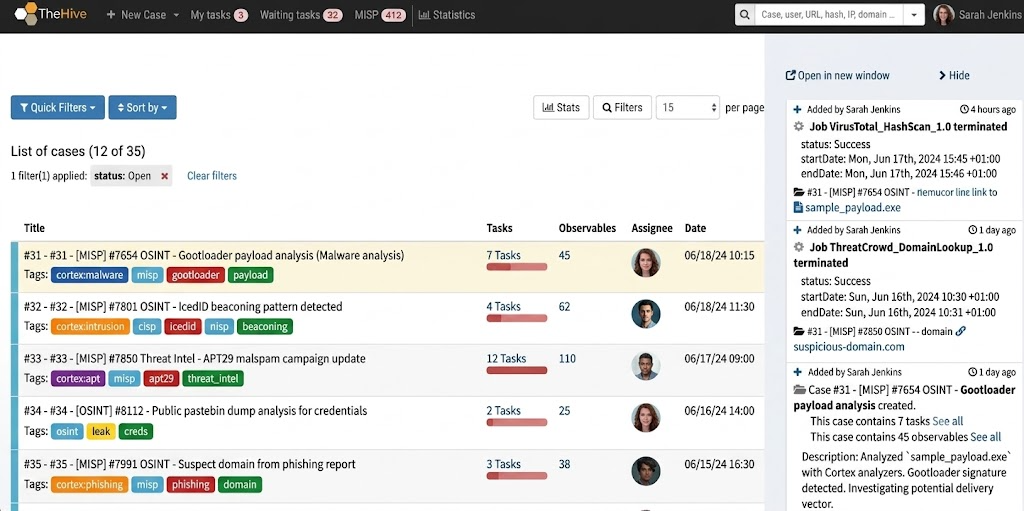
Task tracking will look like
How These Tools Work Together
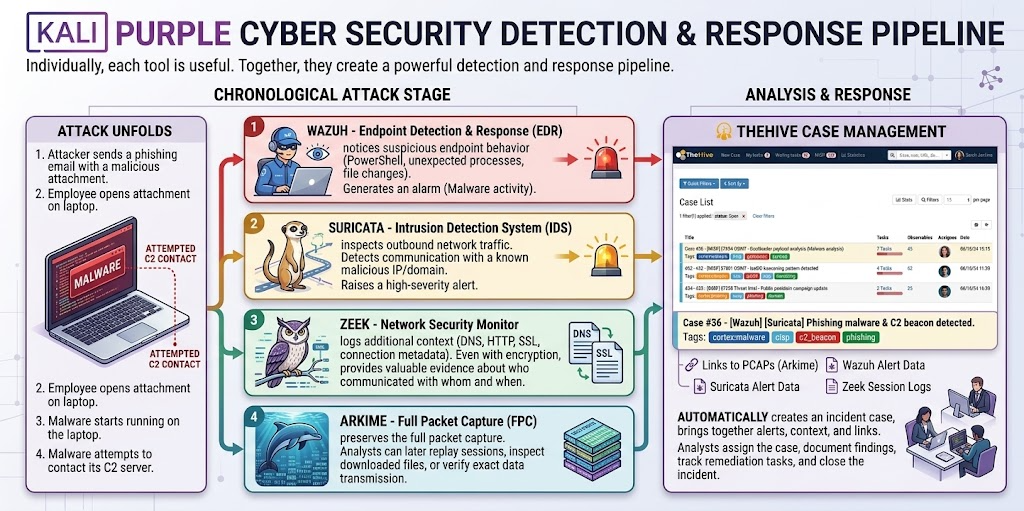
Individually, each tool is useful. Together, they create a powerful detection and response pipeline.
Imagine an attacker sends a phishing email that installs malware on an employee’s laptop. Here’s how the attack unfolds – and how each Kali Purple tool contributes to detecting and responding to it.
- The employee opens the malicious attachment. The malware starts running and attempts to contact its command-and-control (C2) server.
- Wazuh notices suspicious endpoint behavior, such as PowerShell execution, unexpected process creation, or changes to critical files. It generates an alert indicating possible malware activity.
- Suricata inspects outbound network traffic and detects communication with a known malicious IP address or domain. It raises a high-severity IDS alert.
- Zeek logs additional context about the network session, including DNS lookups, HTTP requests, SSL certificates, and connection metadata. Even if the traffic is encrypted, Zeek provides valuable evidence about who communicated with whom and when.
- Arkime preserves the full packet capture. Analysts can later replay the network session, inspect downloaded files, or verify exactly what data was transmitted.
- TheHive automatically creates an incident case, bringing together alerts from Wazuh and Suricata, contextual information from Zeek, and links to packet captures stored in Arkime. Analysts can assign the case, document findings, track remediation tasks, and close the incident once resolved.
Installation Guide
Here is the condensed, step-by-step installation guide:
- Download the ISO
- Visit the official Kali Linux download page.
- Choose either the Full ISO (complete offline installer) or the Weekly ISO (frequent updates, less tested).
https://www.kali.org/get-kali/
- Create Bootable Media
- Boot the System
- Install & Select Kali Purple
-
Proceed through the standard Kali Linux installer setup.
-
At the software selection screen, select “Kali Purple” alongside your preferred desktop environment to install the NIST-aligned defensive toolset.

-
Conclusion: The Future of Defensive Security
Kali Purple is redefining defensive cybersecurity by bringing together enterprise-grade blue team tools in a single, open-source platform. Much like Kali Linux transformed penetration testing, Kali Purple makes modern Security Operations Center (SOC) capabilities accessible to security professionals, students, and organisations of all sizes.
Its integrated approach to threat detection, incident response, threat hunting, and security monitoring enables teams to build practical defensive skills without the cost and complexity of commercial solutions. More importantly, it bridges the gap between offensive and defensive security, encouraging a more complete understanding of the modern threat landscape.
As cyber threats continue to evolve, platforms like Kali Purple will play an increasingly important role in helping defenders learn, practise, and strengthen their security operations. Whether you’re building a home lab, training for a SOC role, or improving an organisation’s detection capabilities, Kali Purple is an excellent place to start.